
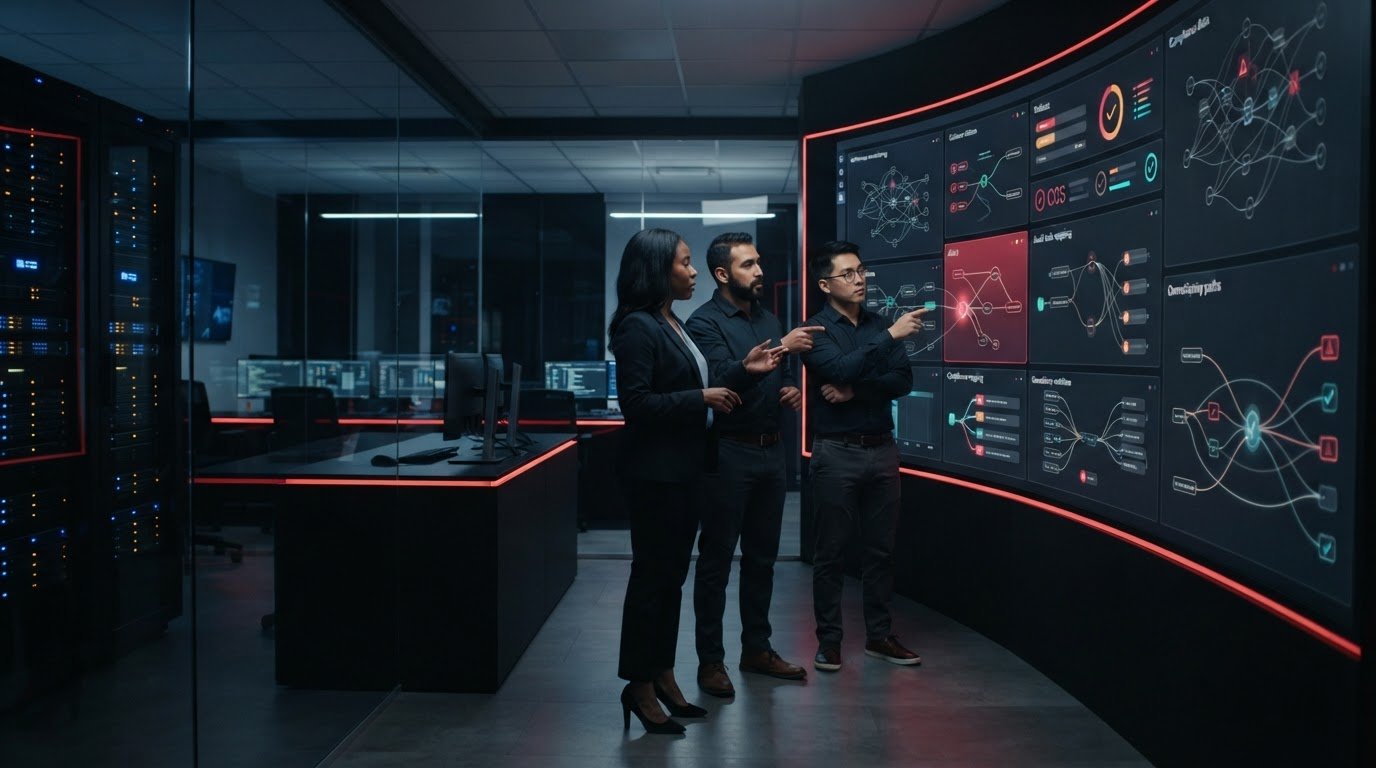
A compliance dashboard can show a control’s status. It can’t, by itself, gather missing evidence, decide who should review a finding, or make sure someone owns the fix. That’s why effective continuous compliance monitoring services support a repeatable evidence and remediation workflow, not just a stream of alerts.
When evidence is spread across systems, files, and teams, manual reviews can be difficult to repeat. If a tool’s claims blur the line between automation and human responsibility, it can also be hard to tell what is actually covered. A sound approach makes those roles clear and turns monitoring results into practical next steps.
This article explains how to compare monitoring tools and managed services using consistent operational criteria. Learn what automated reporting can document, what it can’t guarantee, and how to assess evidence collection, control reviews, remediation ownership, and reporting. You’ll also find ways to keep records organized and make each review more actionable.
Key Takeaways
- Continuous monitoring tracks controls, evidence, exceptions, and follow-up, but it doesn’t replace certification, an audit opinion, or qualified guidance.
- Before relying on automated reporting, confirm which of your systems connect and what evidence the tools can collect or export.
- Compare continuous compliance monitoring services by evidence coverage, integrations, review workflows, reporting options, and clear remediation ownership.
- Use a checklist to assess evidence sources, access controls, integration boundaries, and change history before choosing a tool or service.
- Monitoring becomes actionable when findings connect to responsible owners, policy records, response plans, and documented follow-up.
What continuous compliance monitoring services actually monitor
Continuous compliance monitoring is the recurring oversight of controls, supporting evidence, exceptions, and follow-up actions, rather than a review assembled only once a year. For a business’s IT environment, that can mean checking whether selected security controls are operating as expected and recording what was checked, when it was checked, and what needs attention.
Continuous compliance monitoring services can help organize checks across systems and teams. Automated tools may collect evidence or flag a gap, but a person still needs to confirm what the result means, whether the evidence is relevant, and who will address the issue. Continuous monitoring provides a broader overview of the process and its role in risk management.
For a short introduction to the concept, watch this video:
Continuous monitoring versus periodic compliance reviews
A periodic review gathers records for a scheduled point in time. Recurring checks can create a more current trail, helping teams spot missing evidence or overdue follow-up before the next formal review. For example, a control owner might check whether endpoint protection records are available and document an exception when a device falls outside the expected process.
Ongoing visibility can make reviews easier to prepare, but it doesn’t replace an independent audit, an audit opinion, or the person responsible for a control. Monitoring also isn’t legal advice, certification, or a guarantee that an organization complies with every applicable requirement. Businesses should identify relevant obligations and frameworks with qualified guidance.
What a compliance report can: and cannot show
A useful report makes the evidence trail easier to follow. Depending on the tool and its data sources, it may show:
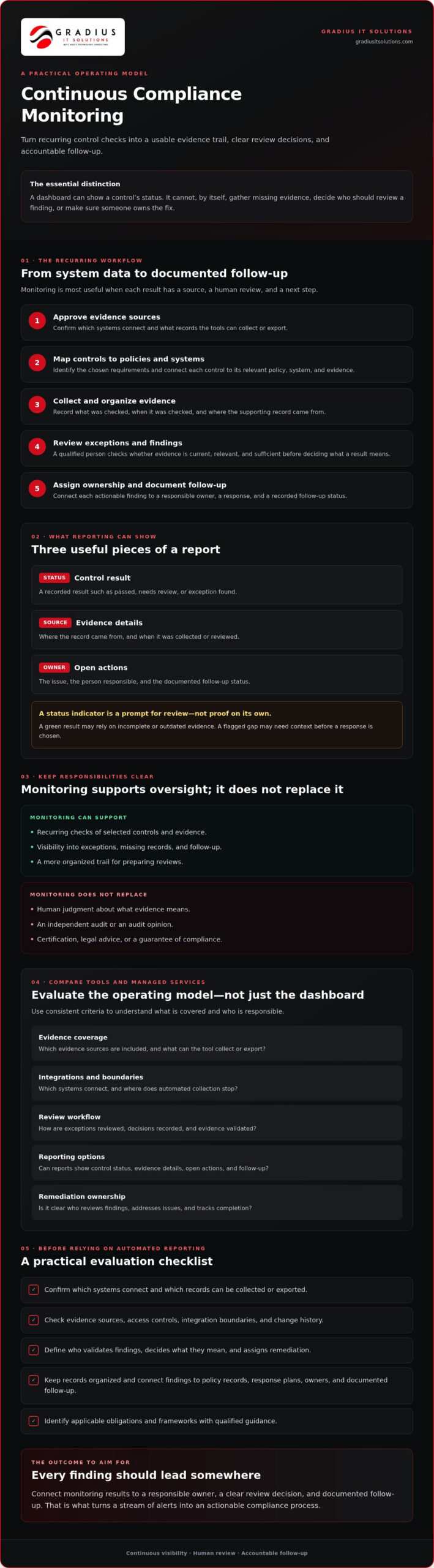
- Control status: the recorded result of a check, such as passed, needs review, or exception found.
- Evidence details: the source of the record and the date it was collected or reviewed.
- Open actions: the issue, assigned owner, and documented follow-up status.
A status indicator is a prompt for review, not proof on its own. A green result may rely on incomplete or outdated evidence, while a flagged gap may need context before anyone decides how to respond. Confirm the source, validate the evidence, and assign an owner to document the next step. Businesses coordinating monitoring with broader managed IT services should also clarify who reviews findings and tracks remediation.
How automated compliance reporting tools collect evidence and flag gaps
Automated compliance reporting tools connect selected systems to gather records, organize them against controls, and surface items that may need review. A practical workflow is to approve data sources, map controls to policies and systems, collect evidence, review exceptions, and document decisions and follow-up actions.
Automation organizes evidence, but it doesn’t independently validate every control. A tool may retrieve a setting or record, but a qualified reviewer still needs to confirm that it’s current, relevant, and sufficient for the control being assessed. Continuous compliance monitoring services should support a defined review process, not just produce alerts.
From control mapping to usable evidence
Start by identifying the control framework or requirements your organization has chosen to work with. Map each control to the relevant policy, system, evidence source, and responsible owner. For example, an access control may connect to MFA settings and an access review record, while a patching control may use patch records. Backup test documentation can support a separate review of recovery procedures.
The NIST Cybersecurity Framework is one possible reference for organizing cybersecurity outcomes. NIST’s Information Security Continuous Monitoring (ISCM) publication also discusses monitoring strategy and information security visibility. Framework mapping can help structure an internal process, but it doesn’t determine legal applicability or certify that an organization meets a requirement.
Before choosing a tool, verify that its integrations cover your actual systems. Check that each evidence item retains useful context, including its source, collection or review timestamp, access permissions, and retention history. An export is useful only if the business can trace what it represents and who was authorized to access or change it.
Alerts, exceptions, and remediation records
An alert is a signal to investigate, not automatically a verified control failure. A reviewer should check the underlying evidence, record a decision, and distinguish a confirmed exception from a false alarm or an item that needs more information. Corrective action is a separate step, completed only after the issue has been addressed and the outcome documented.
For each exception, record:
- An owner and due date so responsibility and expected follow-up are clear.
- The review decision and the reason for accepting, escalating, or correcting the finding.
- Supporting evidence showing the issue, action taken, and status after review.
A clear review trail shows what changed, when it changed, and who approved the decision. This context makes reports more useful for internal reviews than dashboard colors alone. Organizations looking to connect evidence workflows with compliance support can explore how a service partner may help coordinate monitoring and follow-up.
Compare compliance monitoring tools, platforms, and managed services
Compare options by the work they cover, not by dashboard features alone. A reporting platform may organize evidence, a control-specific tool may check a defined area, and managed compliance support may help coordinate reviews and follow-up. Evaluate each option against your applicable controls, systems, and available staff capacity.
| Option | Evidence and integrations | Review and reporting | Remediation responsibility |
|---|---|---|---|
| Reporting platform | May collect or organize evidence from connected sources. Confirm which systems and controls are covered. | Often centers on dashboards, evidence records, and report exports. Check whether reviewers can add context and track decisions. | Typically depends on your team or a separate provider. Confirm who investigates findings and records fixes. |
| Control-specific tool | Focuses on a particular system or control area. Check how its evidence fits into the broader control picture. | May provide detailed findings for its defined scope, but reporting across other areas may require additional work. | Determine whether your staff must assess alerts, assign owners, and verify corrective actions. |
| Managed compliance support | Can coordinate evidence preparation across agreed sources. Confirm scope, access, and integration boundaries. | May include human review and documentation support. Ask what reports are delivered and how often findings are discussed. | Responsibilities should be explicit, including who configures controls, reviews exceptions, and follows remediation through. |
The table is a starting point, not a substitute for checking actual product capabilities. Integration depth and automated evidence exports vary. Test whether the option supports the identity, endpoint, email, cloud, and ticketing systems your organization uses. Confirm who can access evidence, whether reports preserve timestamps and change history, and whether exports work for your review process.
Standalone reporting software versus connected security platforms
Specialized reporting software may offer a focused evidence workflow, while a connected security platform may bring monitoring data from several areas into one view. Neither approach is automatically more complete. Map your priority controls to their evidence sources, then identify gaps. ISACA’s discussion of achieving continuous compliance also highlights the practical role of control frameworks and automation. Use that perspective to shape your evaluation, not as proof that a particular tool meets your needs.
Software-only support versus a managed compliance service
Software can reduce manual collection, but your team may still need to configure controls, interpret exceptions, maintain documentation, and prepare evidence. With managed support, ask which tasks the provider performs and which remain yours. Name an accountable owner for every action. For organizations managing operational requirements beyond IT, such as health and safety compliance, platforms like be-safetech.com provide structured digital workflows to track responsibilities and evidence. For a closer look at outsourced responsibilities, review Compliance as a Service support.
Use this checklist to evaluate continuous compliance monitoring services
Start with the requirements your organization actually needs to address. Ask qualified internal or external advisors to help identify applicable obligations and choose relevant control frameworks. Then use the same evaluation criteria for each platform or service. This keeps the comparison grounded in your business environment, not a vendor’s feature list.
Check whether the proposed approach makes evidence traceable and responsibilities clear. A tool that collects records but leaves your team unsure who reviews an alert or verifies a fix may add another dashboard without strengthening the process. For broader security context, explore cybersecurity services and layered protection.
Questions to ask a tool or service provider
Get specific answers about coverage and accountability before you commit. Ask which controls and systems are supported natively, through integrations, or through manual evidence. Confirm how evidence is validated, who can access it, how long records are retained, and what reporting exports are available. Request a responsibility map that names who monitors, investigates, escalates, documents, and remediates findings.
- Evidence: Can you trace each record to its source, collection date, and related control?
- Access: Can permissions be limited to the people who need to review or manage evidence?
- Change history: Can reviewers see what changed and who approved an exception or action?
- Ownership: Who reviews alerts, approves exceptions, assigns corrective work, and verifies closure?
Ask the provider to explain gaps plainly. If a system isn’t integrated, find out how its evidence will be collected and who will keep it current. Confirm that the reporting format supports your internal review and evidence-sharing needs.
Plan a practical proof of concept
Before expanding monitoring, run a limited pilot with a small set of meaningful controls and representative systems. Define success in advance. For example, decide whether the pilot must show current evidence, route a flagged item to an owner, and preserve the review decision in an export.
During the pilot, test evidence freshness, alert quality, access permissions, ownership, and the time a person needs to review results. Record manual steps and integration limits. A quiet alert queue isn’t proof of effective monitoring if important evidence sources aren’t connected.
Close the pilot with a documented decision: what worked, what needs adjustment, who owns open actions, and what dependencies remain. Expand only when the workflow is usable and accountable. This gives your team a practical basis for selecting continuous compliance monitoring services without assuming automation alone resolves control gaps.
Connect monitoring, reporting, and accountable compliance support
Monitoring produces value when a finding leads to a clear decision and documented follow-up. A flagged control should connect to an owner, relevant policy or procedure, a response plan when applicable, and a record showing what happened next. Without that chain, a report can show activity without helping the organization manage the underlying work.
Continuous compliance monitoring services can support this workflow, but a provider doesn’t take away the organization’s responsibility for its controls or decisions. The business remains accountable for its compliance posture, and qualified legal counsel should address legal questions. Define provider and client responsibilities plainly: who configures monitoring, reviews findings, approves exceptions, assigns remediation, and confirms closure.
What a coordinated support model can include
Monitoring and security operations are more useful when findings connect to practical safeguards and maintained documentation. Depending on the agreed scope, a coordinated process may consider patch management, multi-factor authentication (MFA), endpoint protection, and email security alongside relevant records and procedures. For example, a security finding can be routed for review, assigned for action, and tracked with supporting evidence.
Written policies, incident response planning, and business continuity documentation help teams understand how to act and what records to maintain. Gradius IT Solutions provides compliance-aware managed IT, SOC monitoring, policy documentation, and audit support. Its capabilities also include patch management, MFA, endpoint protection, and documented incident response, business continuity, and disaster recovery support. Learn more about its managed cybersecurity and compliance services.
Before engaging any provider, agree on scope, access, escalation paths, reporting cadence, and evidence ownership. A provider can help operate and document the process, but it cannot guarantee compliance or replace your organization’s accountability.
A clear next step: assess your current evidence workflow
If your evidence, control reviews, and remediation records are spread across systems or owners, start by assessing your current workflow. Gradius IT Solutions offers a free, no-obligation 30-minute IT and cybersecurity assessment. It includes a compliance gap analysis and cyber-insurance readiness review. A written assessment report is delivered within a week, and Gradius states that it responds to assessment requests within one business day.
Make your next compliance review more actionable
Effective continuous compliance monitoring services connect evidence to decisions and follow-up. Choose tools and support based on the systems and controls your organization actually uses, then make clear who reviews alerts, approves exceptions, and verifies remediation. Automation can organize records and surface potential gaps, but human review and accountable control owners remain essential.
A practical process makes evidence easier to trace and reporting easier to act on. Start with a clear view of your current workflow, including where records come from, who can access them, and how open findings move toward resolution.
Gradius IT Solutions offers a free, no-obligation 30-minute IT and cybersecurity assessment that includes a compliance gap analysis and cyber-insurance readiness review. A written report is delivered within a week, and Gradius states that it responds to assessment requests within one business day.
Make your next step a practical assessment of where your organization stands and how its evidence workflow can improve.
Frequently Asked Questions
What are continuous compliance monitoring services?
Continuous compliance monitoring services provide recurring oversight of selected controls, evidence, exceptions, and follow-up actions. They may use software to collect records or flag items for review, with people validating results and managing remediation. For example, a team might track whether evidence for access controls is current and document action when a review identifies a gap. Monitoring supports compliance work, but it doesn’t certify an organization or guarantee compliance.
How do automated compliance reporting tools collect evidence?
Automated reporting tools collect or organize information from connected data sources, then associate it with selected controls. Depending on the tool and integration, evidence might include system settings, security records, or review logs. Reports should make the source and collection date traceable. Integrations vary, so confirm that the tool covers your actual systems and understand which records still require manual collection or human validation.
Can compliance monitoring software guarantee that a business is compliant?
No. Software can help track selected controls, organize evidence, and flag exceptions, but it can’t guarantee that a business meets every applicable requirement. A report may be incomplete if a system isn’t connected, evidence is outdated, or a control needs contextual review. Assign qualified people to validate findings, decide how to address exceptions, and maintain accountability. Consult qualified legal counsel for legal interpretations.
What is the difference between compliance monitoring software and Compliance as a Service?
Compliance monitoring software is a tool for collecting, organizing, or reporting information about selected controls. Compliance as a Service can add human support, such as helping coordinate evidence preparation, documentation, reviews, and follow-up, depending on the agreed scope. Ask who configures the tool, investigates alerts, maintains records, and tracks remediation. A service provider can support compliance operations, but it doesn’t replace the organization’s accountability or legal counsel.
How often should a business review compliance monitoring reports?
Set a review schedule based on the controls being monitored, the pace of change in your systems, and your organization’s risk and compliance needs. Don’t rely only on a scheduled summary if the tool surfaces an exception that needs timely attention. Define who reviews alerts, how decisions are recorded, and when recurring reports are discussed. Qualified advisors can help determine an appropriate cadence for your circumstances.
What should a small business look for in a compliance reporting tool?
Look for coverage of the systems and controls your business actually uses, clear evidence sources and timestamps, appropriate access permissions, useful report exports, and a record of changes. Confirm which connections are built in, which require integrations, and which evidence must be collected manually. Most importantly, make sure the workflow identifies who reviews findings, approves exceptions, assigns corrective work, and verifies completion.
Can continuous monitoring help prepare for an audit or cyber-insurance review?
Yes. Organized, current evidence and documented follow-up can make it easier to respond to questions during an audit or cyber-insurance review. Monitoring can support preparation, but it doesn’t replace an independent audit or guarantee an insurer’s decision. Gradius IT Solutions offers an assessment that includes a compliance gap analysis and cyber-insurance readiness review. A written assessment report is delivered within a week.

Article by
Robert Joyce
Robert Joyce is the Owner and Chief Technology Officer of Gradius IT Solutions, a security-first provider of managed IT, cybersecurity, cloud, compliance, and secure AI solutions. Headquartered in New Jersey with satellite offices in the Midwest and South Florida, Gradius serves businesses across the Tri-State Area, Midwest, South Florida, and nationwide.
Robert brings 30 years of IT experience, including 23 years in hedge funds, global banks, and wealth management firms where uptime, security, and continuity are non-negotiable. He began in trade floor support at Caxton, Shell Trading, and Knight, provided senior trade floor support at RBC and SAC Capital, served as VP of IT at EntrustPermal, and was CTO of Gerstein Fisher. After September 11, he helped rebuild critical technology infrastructure for Merrill Lynch.
His expertise spans Microsoft 365, cloud, cybersecurity, networking, infrastructure, disaster recovery, compliance, and strategic IT leadership.
Robert founded Gradius to bring enterprise-level technology and security to small and midsized businesses at a predictable monthly cost. Gradius delivers managed and co-managed IT, cybersecurity, Microsoft 365 and cloud, compliance programs supported by a GRC platform, secure AI consulting, and vCIO services, with a full help desk, 24/7 NOC and SOC monitoring, and U.S.-based onsite engineers and SOC.
Robert works directly with business owners and executives as their single accountable point of contact. His philosophy: one trusted partner, complete IT accountability.
Disclaimer
## Disclaimer
The information provided in this article is for general informational and educational purposes only and should not be considered professional IT, cybersecurity, legal, regulatory, or compliance advice. While Gradius IT Solutions strives to provide accurate and up to date information, technology, security threats, and regulatory requirements change frequently, and we cannot guarantee that all information will remain current or applicable to your specific situation.
Every organization has unique technology, security, compliance, and business requirements. Before implementing any recommendations discussed in this article, you should evaluate their suitability for your environment or consult with a qualified technology professional.
Gradius IT Solutions makes no warranties, express or implied, regarding the completeness, accuracy, reliability, or results obtained from the use of this information. Any actions you take based on this content are at your own risk. Gradius IT Solutions shall not be liable for any direct, indirect, incidental, or consequential damages arising from the use of, or reliance upon, the information contained in this article.
References to third party products, services, or vendors are provided for informational purposes only and do not constitute an endorsement unless explicitly stated.
If you would like guidance tailored to your organization, contact Gradius IT Solutions to schedule a consultation with one of our technology experts.