
Last Updated: November 1, 2026
Quick Summary
Effective network performance monitoring in NJ businesses requires watching traffic flows, not just device status, and matching the delivery model to your coverage map. Most monitoring fails quietly because alerts go unread, response is never included, and nobody reviews the data with anyone.
- Add NetFlow or similar flow data to see who is talking to whom, how much, and when.
- Inventory every site, circuit, and critical device before comparing monitoring vendors.
- Set alert thresholds from observed baseline, not vendor defaults, to cut alert fatigue.
- Confirm in writing whether response is included, because monitoring does not include response.
- Hold monthly or quarterly reviews and track two or three measurable outcomes period over period.
Table of Contents
- Why Network Performance Monitoring Fails Quietly
- Mistake 1: Watching Devices but Not the Traffic Between Them
- Mistake 2: Choosing Network Performance Monitoring Tools Without a Coverage Map
- Mistake 3: Skipping Network Monitoring Best Practices on Alert Noise
- Mistake 4: Treating Network Monitoring and Management as the Same Job
- Mistake 5: Ignoring Wi-Fi, Internet Circuits, and the Provider Handoff
- Mistake 6: Assuming Monitoring Includes Troubleshooting and Response
- Mistake 7: Never Reviewing the Data With Anyone
- Quick Reference: Mistakes, Fixes, and Impact
- Frequently Asked Questions
Why Network Performance Monitoring Fails Quietly
Network performance monitoring is the practice of watching how traffic, devices, and circuits behave so you can catch degradation before users feel it.
That gap matters more than most owners expect. NIST’s cybersecurity framework guidance treats continuous monitoring and network visibility as core security controls, not optional extras.
Below are the seven mistakes we see most often in network performance monitoring projects, what each costs, and how to fix it.
Mistake 1: Watching Devices but Not the Traffic Between Them
A ping monitor tells you a device is alive. It tells you nothing about whether that device is being reached quickly, whether the path between two sites is degrading, or whether a workstation is quietly uploading data it shouldn’t.
Traffic flow analysis is the missing layer. NetFlow and similar flow data show you who is talking to whom, how much, and when.
Start with these checks:
- Confirm your switches and firewall support flow export
- Identify your top ten talkers by volume and by destination
- Compare current flow patterns against a known-good baseline
EXTERNAL_LINK: Tackling the hidden challenges of network monitoring | gradiusit.com goes deeper into the visibility gaps that device-only monitoring leaves open.
Mistake 2: Choosing Network Performance Monitoring Tools Without a Coverage Map
Buying a monitoring platform before you know what needs monitoring is how businesses end up with a tool that covers half their environment. Coverage means every site, circuit, critical server, switch, and access point accounted for before you sign anything.
But coverage is only half the decision. The other half is deciding how you want monitoring delivered. Most buyers conflate three different things, and that confusion produces a tool nobody uses.
Three Delivery Models, Three Different Jobs
- Software you own. You buy a platform (or deploy an open-source collector), host it, and staff it. You get maximum control and full data ownership, but you also own patching, upgrades, storage growth, and the person who reads the alerts. This fits organizations with a real internal IT team and a reason to keep telemetry on-premises.
- Monitoring bundled into managed IT. A provider may run the tooling and the alert queue as part of a broader support agreement. You get coverage without hiring, but the depth of network-specific metrics varies enormously between providers, so ask exactly which metrics are collected and how often.
- Monitoring plus response (NOC). A network operations center can watch, triage, and act within a defined escalation path. This is the only model that closes the detect-to-fix loop, and the one most often assumed but not actually purchased.
None of these is universally correct. The mistake is buying one model while expecting the outcomes of another.
What to Check Before You Compare Vendors
- Does the tool agentlessly poll your hardware over SNMP, or does it need software on every device?
- Can it monitor multiple locations from one console, and does it show per-site health at a glance?
- Does it collect flow data (NetFlow, sFlow, IPFIX) in addition to device status?
A monitoring tool that covers your main office but not your branch is a partial picture, and partial pictures produce false confidence.
Evaluation Criteria That Separate Providers
When you compare providers rather than products, the questions shift from features to commitments. Ask each candidate:
- Which platforms do you actually support? A provider standardized on one monitoring stack may not support your existing firewalls or switches well.
- What is your alert response time, and is it contractual? “We monitor 24/7” and “we respond within a defined window” are different promises.
- How often do you review rules and thresholds? Stale thresholds are the leading cause of alert fatigue.
- Who has authority to change a device when an alert fires? If the answer is “we’ll open a ticket with your vendor,” you have monitoring without management.
- What does the monthly report contain? Ask for a sample before you sign.
- How is the service priced and what is the minimum term? Understand whether you pay per device, per site, or per user, and what happens if you add a location mid-term.
- What are the escalation paths and service-level commitments in writing? Get them in the contract, not the sales deck.
Match the Model to Your Environment
A five-person professional office with one location and a single circuit rarely needs an owned platform and a dedicated analyst.
Write your coverage map first: sites, circuits, critical servers, switches, access points, and any specialized equipment. Then decide which delivery model fits, then compare providers against that map. Doing it in reverse is how businesses buy a dashboard they stop opening.
Before you compare vendors, list every site, circuit, and critical device you need to see, then decide whether you want software you own, monitoring bundled into support, or monitoring with a response commitment. Bring that list and the seven evaluation questions above to every provider conversation.
Mistake 3: Skipping Network Monitoring Best Practices on Alert Noise
Alert fatigue is the most common reason monitoring gets ignored. When a system fires hundreds of notifications a day, people stop reading them.
Network monitoring best practices are unglamorous: tune thresholds, suppress duplicate alerts, group related events, and route different severities to different people.
- Set thresholds from observed baseline, not vendor defaults
- Suppress alerts during known maintenance windows
- Group alerts by root cause where the tool supports it
EXTERNAL_LINK: 6 helpful tips to troubleshoot common business network issues | gradiusit.com covers the troubleshooting habits that keep recurring problems from becoming recurring alerts.
Mistake 4: Treating Network Monitoring and Management as the Same Job
Monitoring observes. Management changes things. Confusing the two is how businesses end up with a tool that tells them a switch is failing and nobody authorized to replace it.
Network monitoring and management belong in the same conversation but not the same sentence. Monitoring produces the signal. Management produces the fix: patching firmware, reconfiguring a VLAN, replacing a failing access point, adjusting a firewall rule.
Where the Handoff Usually Breaks
The handoff breaks in three predictable places. First, nobody owns the alert queue. Second, the person who sees the alert lacks access to change the device. Third, the change gets made but the monitoring baseline never gets updated, so the next alert is wrong.
Define who watches, who acts, and who confirms the fix. Write it down. A one-page responsibility chart prevents most of this.
Mistake 5: Ignoring Wi-Fi, Internet Circuits, and the Provider Handoff
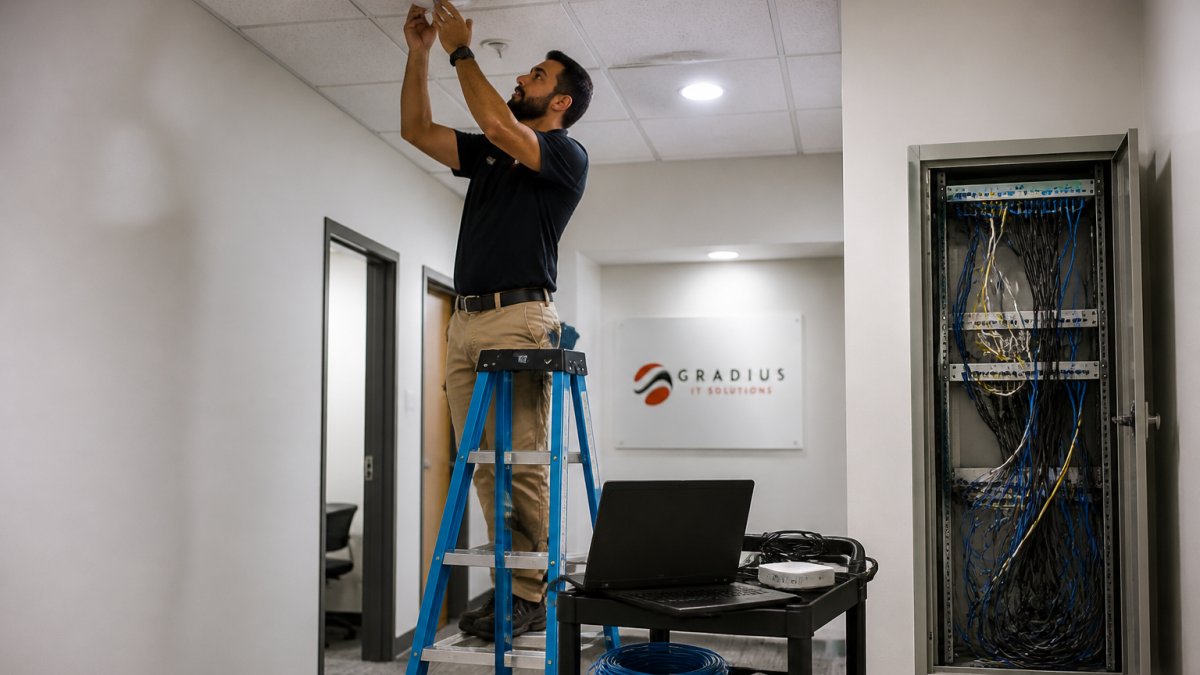
Wired monitoring is easy. Wireless, circuits, and the handoff to your internet provider are where most visibility disappears.
Wi-Fi problems rarely show up in a ping test. They show up as retries, channel interference, and clients roaming between access points.
Circuits are worse. An internet provider’s demarcation point is where your visibility often ends.
Track these for each circuit:
- Latency and jitter to a known reference point
- Packet loss over time, not just at the moment of complaint
- Use against purchased bandwidth
Mistake 6: Assuming Monitoring Includes Troubleshooting and Response
Monitoring does not include response. This is the single most expensive misunderstanding in the category.
Many businesses discover this at the worst moment: an outage at 2 a.m., an alert that fired, and nobody on the other end of the pager.
EXTERNAL_LINK: Your network. Always fast. Always secure. | gradiusit.com shows what pairing 24/7 NOC monitoring with actual response looks like across multiple office locations.
Mistake 7: Never Reviewing the Data With Anyone
Data that nobody reviews is a cost with no return. Proactive oversight must also account for the hidden impact of security cameras on bandwidth availability, ensuring that high-definition video streams do not degrade the performance of critical business applications.
The review is also where you find out whether the monitoring service is actually doing its job. If the report is the same every month, either nothing is changing (unlikely) or nobody is looking.
What a Useful Review Actually Contains
A review meeting that produces decisions has a consistent structure. Ask your provider (or build this yourself if you run the tooling) to bring:
- Top recurring alerts and what changed. Which alerts fired most, which were actionable, and which were noise that should be tuned or suppressed.
- Capacity trends against expected growth. Circuit utilization, switch port saturation, and Wi-Fi client counts plotted over time, not just a current snapshot.
- Availability and performance against targets. Uptime per site and per circuit, latency and jitter trends, and packet loss over the period.
If your provider cannot produce that in a review meeting, the monitoring is being collected for its own sake.
Measurable Outcomes to Track
Monitoring becomes accountable when you attach numbers to it. These are the measures worth tracking period over period:
| Measure | What it tells you |
|---|---|
| Alert response time | How fast someone acknowledges and triages an alert |
| Actionable-alert ratio | Share of alerts that led to a real change or fix |
| Rule and threshold review frequency | Whether the configuration is being maintained |
| Mean time to remediate | How long from detection to confirmed fix |
| Repeat-incident rate | Whether the same problem keeps coming back |
| Circuit and device availability | Whether the network is meeting its targets |
You do not need all six on day one. Pick two or three, establish a baseline, and review them each period. A provider that resists measuring its own service is telling you something.
Cadence and Accountability
Monthly reviews suit environments with active change: office moves, new hires, circuit upgrades, or recent incidents. Quarterly reviews suit stable environments, with a monthly written report in between. Either way, the review should end with a short written summary: what was found, what was decided, who owns each action, and when it is due.
Bring three things to that meeting yourself:
- The top recurring alerts and what changed
- Capacity trends against expected growth
- Any security-relevant anomalies and how they were resolved
And ask three questions of your provider:
- What did you tune or change this period, and why?
- Which alerts did we ignore, and should we stop sending them?
- What are we likely to outgrow in the next two quarters?
Those three questions turn a status update into a planning conversation. That is the difference between paying for monitoring and getting value from it.
Put a recurring review on the calendar, ask for the five report elements above, and pick two or three measurable outcomes to track period over period. If the report never changes, the monitoring is not being used.
Quick Reference: Mistakes, Fixes, and Impact
| Mistake | Fix | Impact |
|---|---|---|
| Device-only monitoring | Add flow analysis | Visibility into traffic paths |
| No coverage map | Inventory before buying | Complete picture across sites |
| Alert noise | Tune thresholds, group alerts | Alerts people actually read |
| Monitoring vs. management | Assign owners for watch, act, confirm | Fixes get made |
| Ignoring Wi-Fi and circuits | Per-AP and per-circuit metrics | Fewer finger-pointing loops |
| Assuming response is included | Confirm response commitment in writing | Outages get resolved |
| No data review | Monthly or quarterly review meeting | Monitoring drives decisions |
If you’re nodding along to more than two of these, the problem isn’t the tool. It’s the operating model around it. That’s where Managed IT Services can help, Gradius offers managed IT services and a 24/7 IT Help Desk, which can be paired with network monitoring so a detected problem is worked through to resolution.
Frequently Asked Questions
How is network monitoring different from network management?
Monitoring is the observation layer: it collects interface statistics, latency, packet loss, and device health, then raises alerts when something drifts. Management is the action layer: applying firewall rule updates, pushing firmware, changing VLANs, and fixing what the alert flagged. Many small businesses buy monitoring and assume management is included, then discover nobody is authorized to touch the equipment. Ask any provider to state in writing which side of that line they cover, and who owns the change when an alert fires at 2 a.m.
Can network performance monitoring identify Wi-Fi and internet performance problems?
Yes, but only if the deployment actually covers those layers. Wired switch and firewall monitoring will not show you a dead zone in a conference room or a circuit that degrades under load. Look for wireless coverage data, channel utilization, and per-circuit latency and jitter tracking, not just uptime pings. A provider that monitors only the firewall and core switch is watching a small slice of the business network. Confirm the scope covers access points, internet circuits, and the handoff to each carrier before you sign.
Does network monitoring include troubleshooting and response?
Often it does not. Monitoring generates security alerts and performance warnings; response means a person investigates, isolates the cause, and resolves it. Those are separate deliverables and frequently separate line items. When you compare providers, ask three questions: who receives the alert, how fast do they acknowledge it, and are they permitted to make changes without waiting for approval? A monitoring service without a response commitment leaves your team holding the pager. Get the escalation path and the change authority documented before the contract starts.
How often should a business review network performance?
Continuous collection with a scheduled human review works better than either extreme. Dashboards should run 24/7 so short outages and latency spikes are captured, but someone should read the trend data on a recurring cadence, ideally monthly for operations and quarterly for planning and budget. The quarterly conversation is where you spot a circuit that needs upgrading, an access point that needs adding, or a device nearing end of life. Reviews that only happen after an outage are incident response, not performance management.
Most businesses don’t need more monitoring data. They need someone to watch it, act on it, and explain it in plain language every quarter. Gradius IT Solutions provides 24/7 NOC monitoring paired with real response, a 100% U.S.-based team, and no long-term lock-in, so network performance monitoring becomes a service rather than a dashboard nobody opens. Get started with Gradius IT Solutions and turn your monitoring data into fewer outages and faster fixes.
