
Last Updated: October 27, 2026
Quick Summary
GDCI managed IT is compared to other providers through a responsibility map, not a service list, since full outsourcing still leaves strategic control and budget authority with your business. Ask every candidate to mark each layer as included, excluded, or project-billed, and to name the accountable role in writing.
- Full infrastructure outsourcing transfers operational ownership of servers, endpoints, network, cloud, identity, backup, and security operations.
- Gradius IT Solutions targets a sub-15-minute average help desk response time and 99.9% service availability.
- A usable SLA defines Severity 1 through 4 with written examples, plus response and resolution targets by severity.
- Sequence transitions through discovery, access transfer, parallel monitoring, cutover, and a stabilization review.
- Gradius IT Solutions offers no long-term lock-in and commits to results within 30-90 days.
Table of Contents
- GDCI Managed IT Services Offerings at a Glance
- Managed IT Services vs. IT Outsourcing: Where the Models Diverge
- How GDCI Compares: Scope, Responsibility and Support Depth
- What a Managed Service Provider SLA Should Define
- Building an IT Outsourcing Transition Plan That Avoids Downtime
- Your IT Outsourcing Checklist Before Signing
- Evaluating Cost, Contract Transparency and Total Cost of Ownership
- Choosing the Right Provider for Your Infrastructure
- Frequently Asked Questions
GDCI Managed IT Services Offerings at a Glance
Businesses outsourcing their entire infrastructure want one question answered first: when GDCI managed IT takes over the whole stack, what is included, and where does their responsibility stop?
Full infrastructure outsourcing transfers day-to-day ownership of servers, endpoints, network, cloud, identity, backup, and security operations to a provider, while your business retains strategic control and budget authority.
Gradius IT Solutions provides managed IT services:
- 24/7 help desk and network operations center coverage
- Endpoint and server management, including patching and monitoring
- Microsoft 365 administration and security configuration
- Backup, recovery, and business continuity oversight
- Managed cybersecurity operations, including detection and response
The critical question is whether the provider’s written scope defines responsibilities when those functions fail.
Managed IT Services vs. IT Outsourcing: Where the Models Diverge
Outsourcing can cover specific functions or a broader set of responsibilities, depending on the agreement. A managed services provider may monitor for issues and report on changes, but the agreement should specify what actions are included.
Where the models diverge in practice:
| Dimension | Traditional IT Outsourcing | Managed IT Services |
|---|---|---|
| Trigger | You report the problem | Provider monitors and acts |
| Ownership | You direct each task | Provider owns the outcome |
| Reporting | On request | Scheduled and documented |
| Planning | Ad hoc | Roadmap and reviews |
| Security | Often separate contract | Built into operations |
If your internal team wants to retain architecture ownership and outsource only overflow work, a co-managed arrangement fits better than full outsourcing. If you want the operational burden gone, you need the managed model with clearly written responsibility boundaries.
How GDCI Compares: Scope, Responsibility and Support Depth
Most provider comparisons stall on service lists.
| Layer | Typically provider-owned | Typically client-retained |
|---|---|---|
| Network (firewall, switches, WiFi, VPN) | Configuration, firmware, monitoring, change control | Business rules for access, approval of major changes |
| Servers and virtualization | Patching, health monitoring, capacity checks, backup jobs | Application ownership, business sign-off on downtime windows |
| Endpoints | Patching, endpoint protection, encryption enforcement, asset inventory | Device purchasing policy, acceptable-use rules |
| Cloud (Microsoft 365, Azure) | Tenant configuration, licensing administration, security baseline | Data classification, retention policy decisions |
| Identity (Entra ID, MFA, conditional access) | Policy design and enforcement, access reviews | Who gets access, joiner/mover/leaver approvals |
| Backup and recovery | Job monitoring, restore testing, recovery runbooks | Recovery objectives (RPO/RTO) and business priority order |
| Security operations | Detection, triage, response coordination, threat hunting | Risk acceptance, breach notification decisions |
| Help desk and end-user support | Tier 1 through Tier 3 response, escalation | Internal policy exceptions, VIP handling rules |
| Vendor coordination | Opening and tracking tickets with ISPs, software vendors, hardware OEMs | Contract negotiation and purchasing authority |
| Strategy and budgeting | Roadmap input, lifecycle planning, quarterly reviews | Final budget approval and prioritization |
Scope. Ask whether the provider manages firewall rules, switch configuration, the identity layer, backup jobs, and line-of-business applications, or whether each is excluded and quoted separately.
Responsibility. When an outage traces back to a configuration change, who diagnoses it, who communicates with users, and who coordinates third-party vendors?
Support depth. Ask what happens at 2 a.m. on a holiday, who answers, and whether that person can act or only log a ticket.
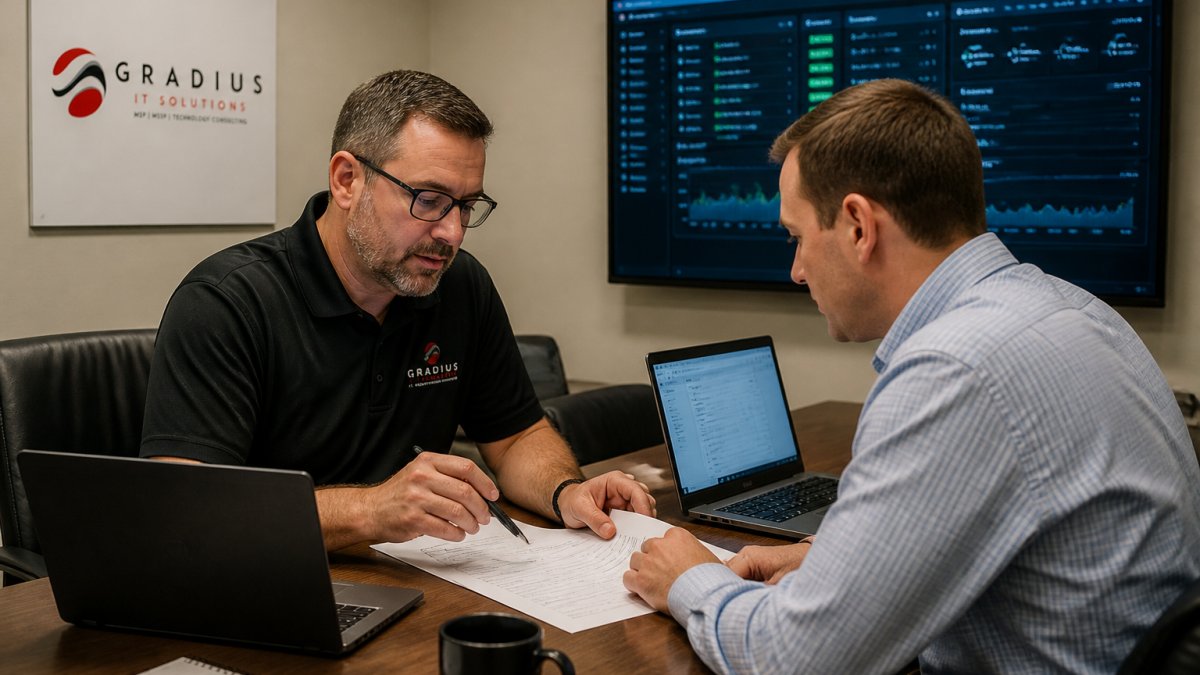
Run the responsibility map as a live exercise in the sales conversation. Ask the provider to mark each row as included, excluded, or project-billed, and to name the role accountable for it. Inconsistencies between the sales call and the written proposal are a reliable signal of what the contract will actually deliver.
Proactive Monitoring and Preventive Maintenance
Proactive monitoring means continuous collection of health, security, and performance signals from servers, endpoints, and network equipment, with thresholds that trigger action before users are affected.
When comparing providers, ask what happens after an alert fires. Ask whether alerts route to a human who can act or a dashboard nobody watches overnight, how patch failures are handled, and whether maintenance windows are documented in advance.
Confirm in writing whether monitoring includes remediation or only notification. Confirm in writing which alerts include a remediation action and which are notification-only.
Reactive Support and Incident Response
Reactive support covers what monitoring cannot prevent: a failed drive, a locked account, a user locked out of a shared drive before a deadline. Incident response is the escalation path for security events, a different capability from help desk work.
Evaluate these separately. Ask for the average response time commitment, how tickets are prioritized, and what qualifies as a security incident rather than a support request.
What a Managed Service Provider SLA Should Define
Response time versus resolution time. Response time runs from ticket creation to first human acknowledgment; resolution time runs to restoration of service.
Severity tiers. A usable SLA defines Severity 1 through 4 with examples: Severity 1 is a full outage or active security incident affecting many users; Severity 2 is degraded service or a single critical system down; Severity 3 is a single-user issue with a workaround; Severity 4 is a request or question. Without written examples, the provider decides after the fact which tier your outage belongs to.
Uptime calculation. Ask what counts as downtime and what is excluded.
Escalation path. The SLA should name roles and timeframes at each level, not just a phone number.
Remedies. If the agreement offers service credits, ask how they are calculated and whether they are applied automatically or only on request.
An SLA that covers detection but not response is a common gap. If the agreement commits to alerting on a security event but not to triage, containment coordination, or a defined response timeline, you have bought monitoring, not managed security. Name that gap before signing.
The NIST Cybersecurity Framework is a useful reference for framing security responsibilities inside the agreement, since it separates identify, protect, detect, respond, and recover functions. Map each function to a named owner in the contract, and note where the provider’s responsibility ends and yours begins.
Before signing, ask three questions in writing: What are the exact severity definitions with examples? What is excluded from the uptime calculation? Are service credits applied automatically or on request? The answers tell you more about the provider than the summary page of the proposal.
Building an IT Outsourcing Transition Plan That Avoids Downtime
A transition plan documents the sequence for moving from your current provider or internal arrangement to the new one: discovery, documentation, access transfer, parallel operation, and cutover.
Sequence it in phases:
- Discovery and documentation. Inventory every server, endpoint, license, and vendor account. Missing credentials are the most common cause of delay.
- Access transfer. Establish administrative access under the new provider’s control before the old one is released.
- Parallel monitoring. Run the new provider’s monitoring alongside existing coverage for a defined period.
- Cutover. Move ticketing, escalation, and vendor coordination to the new provider.
- Stabilization review. Confirm documentation accuracy and close gaps.
Gradius IT Solutions is committed to results within 30-90 days. For the handoff itself, switching managed IT providers without downtime covers documentation and day-one coverage steps.
Watch out: releasing your outgoing provider before administrative access is verified leaves you unable to recover quickly if a credential turns out to be wrong.
Your IT Outsourcing Checklist Before Signing
Before signing, confirm each item below in writing. Verbal assurances do not survive staff changes.
- Service scope lists inclusions and exclusions line by line
- SLA defines response time, resolution targets, uptime, and remedies
- Security responsibilities are assigned, including detection and response
- Backup and restore testing frequency is documented
- Vendor coordination is included, not billed as an extra
- Contract term, renewal, and termination notice periods are stated
That last pair of items, term length and exit terms, deserves more scrutiny than buyers usually give it. The risks of long-term IT service contracts explains what to look for before you commit to a multi-year agreement. Gradius IT Solutions offers no long-term lock-in.
Evaluating Cost, Contract Transparency and Total Cost of Ownership
When evaluating outsourced infrastructure, consider the monthly fee alongside project work, licensing, hardware refresh, after-hours coverage, and internal time spent managing the provider. Comparing headline monthly fees tells you almost nothing.
Ask each provider how normal operations, a major incident, and a planned project such as a server replacement or office move would be billed. The differences in how those are billed reveal more than the base rate.
Contract transparency comes down to four questions:
- What triggers a price increase, and how much notice is given?
- Which services are metered, and what are the overage terms?
- Is hardware and licensing included, resold at cost, or billed separately?
- What does termination cost, and what assistance is included at exit?
For how pricing and inclusions are structured, what managed IT costs breaks down the components and how to read competing quotes. For a plain-language overview of what a managed engagement includes, the managed IT services guide for business owners covers it from the buyer’s side.
Choosing the Right Provider for Your Infrastructure
Choosing a provider for full infrastructure outsourcing comes down to evidence, not promises: documented scope boundaries, measurable SLAs, a transition plan that protects uptime, and contract terms you can exit. How Gradius IT Solutions compares with other managed IT service providers for full infrastructure outsourcing depends on the details, not the summary.
The practical next step is a scoped conversation about your actual environment: what you run, what your internal team wants to keep, and what you want off your plate. If you are weighing whether to outsource at all, outsourced IT versus in-house support compares the two on cost, coverage, and expertise before you commit either way.
Frequently Asked Questions
Is managed services the same as outsourcing?
They overlap but are not identical. Outsourcing describes handing a function to an outside firm, which can be a single task like help desk or an entire infrastructure. Managed services describe the delivery model: a provider takes ongoing responsibility for defined systems with proactive monitoring, patching and reporting under a service-level agreement. A provider may combine both, taking responsibility for defined infrastructure operations rather than completing tickets on request. Ask any provider which model they follow and what is explicitly excluded.
Can a managed IT provider take responsibility for an entire IT infrastructure?
Yes, provided the contract names every layer: endpoints, servers, network, cloud, identity, backup and security monitoring. The risk is a gap between vendors, where the internet provider blames the firewall vendor and the firewall vendor blames the application. When comparing managed IT providers, ask for a written responsibility matrix covering each system and each task, including who patches firmware, who owns backup restore testing and who handles after-hours escalation.
What should a business measure to judge a provider’s performance?
Track the metrics your agreement commits to: response time to first contact, resolution time by ticket priority, uptime against the service availability target, patch compliance rates and backup restore test results. Review them in a quarterly business review rather than waiting for an outage. A managed service provider SLA that lists targets without reporting cadence or remedies is difficult to enforce, so confirm how and when performance data is shared before signing.
How long does it take to transition to a new managed IT provider?
Timelines vary with environment complexity, but a phased IT outsourcing transition plan matters more than speed. A typical sequence covers discovery and documentation, credential and access handover, monitoring deployment, then a supervised cutover for help desk and patching. Transition timelines depend on the environment and the agreed scope. Ask for a written plan with named milestones, a rollback position and a defined period of overlapping coverage before the old arrangement ends.
Full infrastructure outsourcing works when the provider owns outcomes, not just tickets. Gradius IT Solutions delivers 24/7 NOC and SOC coverage, a 100% U.S.-based team, a sub-15-minute average help desk response target, and no long-term lock-in, with quarterly business reviews to keep the roadmap honest. Get started with Gradius IT Solutions and put a defined scope, measurable SLAs, and a transition plan behind your infrastructure.
