
Table of Contents
- What Network Security Solutions Are and Why They Matter
- How Network Security Solutions Work: Layered Defense
- Core Network Security Controls: Firewalls and Traffic Filtering
- Intrusion Detection, Prevention, and Endpoint Security
- Network Segmentation and Access Control
- Choosing and Deploying Managed Network Security Services
- Network Security Best Practices for Small and Mid-Sized Businesses
- Start with the fundamentals, then measure them
- Patch and configuration management
- Identity and access hygiene
- Security awareness training that actually changes behavior
- Visibility, logging, and detection
- Backup, recovery, and ransomware resilience
- Incident response
- Common mistakes to avoid
- When to bring in outside help
- Frequently Asked Questions
Last Updated: October 12, 2026
What Network Security Solutions Are and Why They Matter
Network security solutions are integrated technologies and services that protect an organization’s networks, data, and connected systems from unauthorized access, cyber attacks, and data breaches.
A successful attack can disrupt operations for days, expose customer data, trigger regulatory penalties, and damage reputation.
The right implementation reduces your attack surface, improves regulatory compliance, and gives your team visibility into network activity.
How Network Security Solutions Work: Layered Defense
The most effective approach to network security solutions uses multiple defensive layers working together.
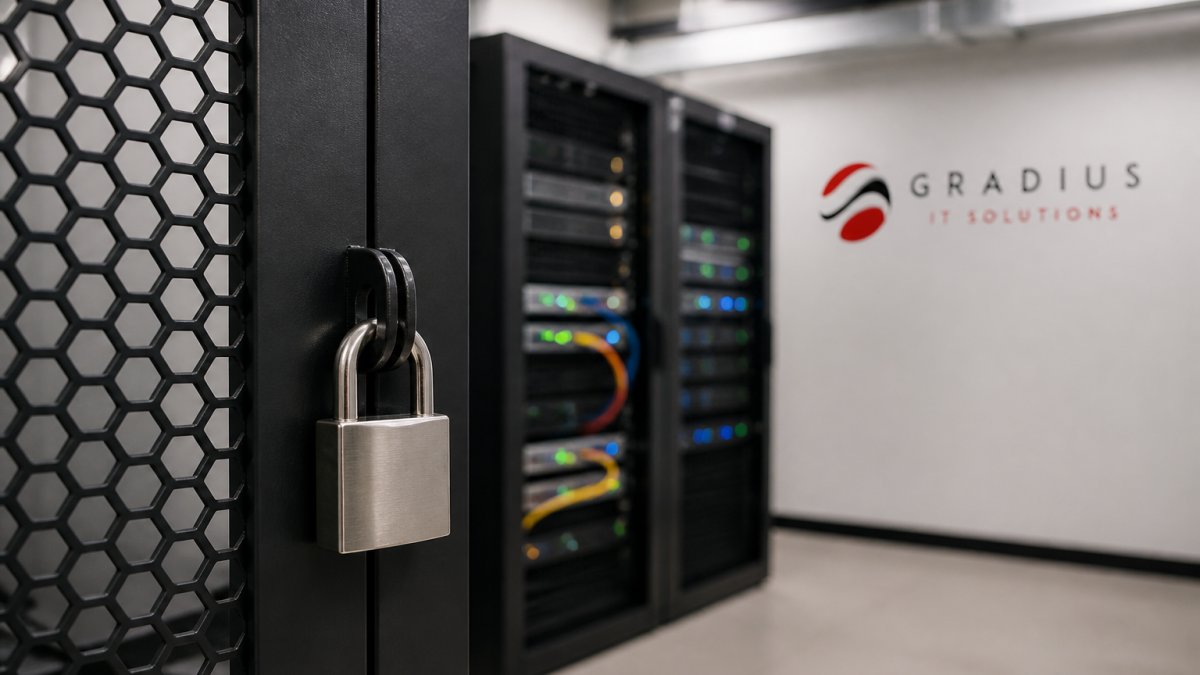
At the perimeter, firewalls inspect incoming and outgoing traffic, blocking suspicious connections before they reach internal systems.
Access controls verify identities and limit users to the resources they need. Network segmentation divides the network into isolated zones so a breach in one area doesn’t compromise everything else.
Core Network Security Controls: Firewalls and Traffic Filtering
A firewall is the foundational component of network security solutions.
Modern firewalls operate at multiple layers. Stateful firewalls track active connections and only allow traffic belonging to an established session.
Traffic filtering extends beyond the perimeter.
Organizations often ask whether they need a firewall if they use cloud services. Yes, cloud applications still need protection, and traffic between on-premises systems and the cloud needs monitoring.
Intrusion Detection, Prevention, and Endpoint Security
Beyond the firewall, intrusion detection and prevention systems monitor traffic for active attacks.
These systems use multiple detection methods: signature-based detection for known attacks, anomaly-based detection for behavior deviating from normal baselines, and behavioral analysis for attack patterns even when the specific malware hasn’t been seen before.
Endpoint security has evolved. Traditional antivirus scans for known malware signatures, useful but incomplete. Endpoint detection and response (EDR) monitors endpoint behavior continuously, tracking processes, file modifications, network connections, and user actions.
Many organizations now deploy managed detection and response (MDR) services that combine EDR with 24/7 monitoring and threat hunting. The MDR provider watches the dashboards and escalates incidents that need your attention. Cybersecurity & SOC Services that include MDR capabilities are particularly valuable for organizations without dedicated security staff, as they ensure threats are monitored and investigated around the clock.
Network Segmentation and Access Control
Network segmentation divides your network into isolated zones, each with its own access controls.
Segmentation works through virtual local area networks (VLANs) that logically separate traffic, plus firewalls that control traffic between segments.
Access control ensures users reach only the resources they need. It starts with strong authentication, passwords alone are insufficient.
Zero trust architecture assumes no user or device is inherently trustworthy.
Choosing and Deploying Managed Network Security Services
Most buyers don’t struggle to find a list of security products. They struggle to decide which controls they actually need, in what order to deploy them, and what the whole thing costs to run.
A selection framework: match controls to size, industry, and risk profile
Instead of buying tools by category, start by classifying your organization on three axes.
Size and IT capacity. A 15-person firm with no IT staff can’t operate a stack requiring daily tuning.
Risk profile. Ask three questions: What would stop operations if it went down? What data would be costly or illegal to expose?
A practical way to use this: build a table with critical systems down the left and control categories across the top (firewall, endpoint, identity, email, backup, monitoring).
A phased deployment plan
Deploying everything at once is the most common cause of failed rollouts. A workable sequence:
Phase 1, Foundation (weeks 1-4). Inventory assets and data flows. Deploy or reconfigure the firewall with a default-deny posture. Turn on MFA everywhere supported, starting with email and remote access. Confirm backups exist and have been restore-tested.
Phase 2, Visibility (weeks 4-12). Roll out EDR to servers first, then workstations. Enable logging from the firewall, identity provider, and email platform into a central location.
Phase 3, Segmentation and hardening (months 3-6). Introduce VLANs for guest, general user, server, and sensitive-data zones. Restrict inter-zone traffic to what’s required.
Phase 5, Continuous improvement. Vulnerability management, security awareness training, tabletop exercises, and periodic review of accumulated rules.
Legacy-system integration and change management
Older systems are usually the sticking point. A line-of-business application on an unsupported OS, or manufacturing equipment with a fixed IP and no agent capability, can’t simply be dropped into a zero-trust model.
Change management matters as much as technology. Users notice when MFA appears, a site is blocked, or a laptop is quarantined. Communicate before deploying, explain the reason in plain terms, and give people a fast way to get help.
What it costs to run, and where the money actually goes
Buyers often compare only license fees and are surprised by the total. A realistic budget has four components:
- Licensing and subscriptions, per-endpoint, per-user, or per-gigabit. The most visible line, and usually the smallest share of the total.
- Implementation and professional services, firewall configuration, segmentation design, rule migration, and integration. A one-time cost that varies widely with your existing environment.
- Ongoing operations, labor to tune rules, investigate alerts, patch systems, and respond to incidents. Whether internal or managed, this is the largest recurring cost and the most often underestimated.
Operational trade-offs to expect
Every control has a cost beyond its price tag.
- False positives. Aggressive detection generates noise; too much and your team stops reading alerts. Tuning is continuous.
- Performance impact. Deep packet inspection, endpoint agents, and traffic redirection add latency, negligible on modern hardware, noticeable on older equipment or saturated links.
- Complexity and skills. A next-generation firewall is only as good as the person configuring it. Misconfigured rules are a common source of gaps and outages.
Questions to ask a managed security provider
- How do you detect a threat, and what’s your typical time from detection to notification?
- What happens at 2 a.m. Saturday when an alert fires, who acts, and how are we contacted?
- How do you handle a false positive that turns out to be a real incident, or vice versa?
A control you cannot operate, tune, or respond from is not really a control. Match the tooling to your capacity, deploy in phases, and budget for the ongoing labor, not just the license.
Network Security Best Practices for Small and Mid-Sized Businesses
Best practices are only useful if you can tell whether you’re following them. Each practice below is paired with a way to measure it, because “we do security awareness training” and “our phishing click rate fell from 18% to 4% over two quarters” are very different statements.
Start with the fundamentals, then measure them
A properly configured firewall, current endpoint protection, and MFA on email and remote access address most common attacks. Don’t skip these to chase advanced capabilities.
- Firewall: every inbound rule has a documented business reason; default posture is deny.
- Endpoint: coverage at or near 100% of managed devices; agent health monitored, not assumed.
- MFA: enforced on email, VPN, and administrative consoles. Track accounts still using legacy authentication, the target is zero.
Patch and configuration management
Unpatched systems remain one of the most exploited weaknesses. Automated patch management closes the window between a vulnerability being published and an attacker using it.
Useful metrics:
- Mean time to patch for critical and high-severity vulnerabilities. Many organizations target days, not weeks, for internet-facing systems.
- Percentage of systems out of compliance with your configuration baseline.
- Number of unsupported operating systems still in production. This should trend toward zero.
Identity and access hygiene
Most breaches today involve credentials rather than exploits. Beyond MFA, review who has administrative rights, remove departed staff accounts promptly, and apply least privilege so a compromised account can’t reach everything.
- Dormant accounts: any account unused for 90 days should be reviewed and disabled.
- Privileged accounts: know how many you have and why each exists.
- Access reviews: at least annually for sensitive systems, more often for regulated data.
Security awareness training that actually changes behavior
Short, frequent simulations with immediate feedback can be effective. The goal isn’t to punish people who click, it’s to make reporting suspicious messages fast and blameless.
- Phishing simulation click rate and, more importantly, reporting rate. A rising reporting rate is a good sign even if clicks haven’t fallen yet.
- Time to report a suspected incident.
Visibility, logging, and detection
You cannot protect what you cannot see. Ensure your firewall, identity provider, email platform, and endpoints all send logs to a central location, and that someone, internal or managed, reviews them.
- Log coverage: what percentage of critical systems send logs?
- Alert volume and disposition: how many alerts fired, and how many were investigated versus closed without review?
- Mean time to detect (MTTD) and mean time to respond (MTTR) for confirmed incidents. These two numbers tell you more about your program than any product list.
Backup, recovery, and ransomware resilience
Backups are only valuable if they restore. Test them. Backup & Disaster Recovery services ensure your critical data and systems can be recovered quickly, and regular restore testing confirms your backups actually work when you need them.
- Restore test frequency: at least quarterly for critical systems.
- Recovery time objective (RTO): how long can the business tolerate a system being down?
- Recovery point objective (RPO): how much data can you afford to lose?
Incident response
A written plan never rehearsed is a document, not a capability. Run a tabletop exercise at least annually with the people who’d actually be in the room, operations, leadership, communications, and legal or compliance as appropriate.
- Time to contain a simulated incident.
- Number of gaps identified in the exercise and closed afterward.
Common mistakes to avoid
- Buying tools faster than you can operate them.
- Assuming a small organization isn’t a target, automated scanning doesn’t discriminate by size.
- Treating compliance as the goal rather than a floor. Meeting a regulation doesn’t mean you’re secure.
When to bring in outside help
If you lack dedicated security staff, if alerts go unread after hours, or if you can’t produce the metrics above when your cyber-insurance renewal or a compliance review asks for them, a managed provider can close those gaps faster than hiring.
Frequently Asked Questions
What is a network security solution?
A network security solution is a combination of tools and practices designed to protect your organization’s computer networks from unauthorized access, data theft, and cyber attacks. Network security solutions typically include firewalls that filter incoming and outgoing traffic, intrusion detection systems that identify suspicious activity, endpoint protection on individual devices, and access controls that verify user identity. For small and mid-sized businesses, managed network security services often bundle these controls together with 24/7 monitoring and threat response.
Which network security solutions does a small business actually need?
Most small businesses need at least four core components: a firewall to control network traffic, endpoint detection and response (EDR) to protect individual computers and servers, multi-factor authentication (MFA) to verify user identity, and regular backup and disaster recovery for business continuity. Beyond these basics, network segmentation, separating sensitive systems from general network traffic, becomes important if you handle customer data, financial information, or regulated data. The specific mix depends on your industry, the data you store, and your compliance requirements. An IT consultant can assess your environment and recommend what actually applies to your business rather than selling you unnecessary enterprise features.
How do firewalls, intrusion detection, and endpoint security work together?
These three controls operate at different points in your network architecture. A firewall sits at your network perimeter and filters traffic based on rules you define, blocking known threats and suspicious patterns at the entry point. Intrusion detection and prevention systems monitor network traffic inside your firewall for signs of attacks that got past the first layer. Endpoint detection and response runs on individual computers and servers, monitoring for malware, unauthorized access, and suspicious behavior on those devices themselves. Together, they create overlapping layers of defense: the firewall stops obvious threats, intrusion systems catch sophisticated attacks attempting to move through your network, and endpoint tools protect the actual machines where your data lives.
What is network segmentation, and when should a business use it?
Network segmentation divides your network into smaller, isolated sections (called subnets or segments) so that if one part is compromised, an attacker cannot automatically access everything else. For example, you might put financial systems on a separate segment from general office computers, or isolate servers handling sensitive data from guest Wi-Fi. Small businesses with fewer than 50 employees often don’t need extensive segmentation, but it becomes valuable if you handle regulated data like healthcare records (HIPAA), financial information, or customer payment data. Segmentation also limits the damage from ransomware, if one segment is infected, the attacker cannot spread the infection across your entire network. Implementing segmentation requires planning your network design and may involve firewall rules, virtual LANs (VLANs), or separate physical switches.
How should a business evaluate network security providers?
Start by asking what specific controls they offer, firewalls, EDR, threat monitoring, backup, and incident response, and whether they provide 24/7 monitoring or only business-hours support. Request references from businesses similar in size and industry to yours, and ask those references directly whether the provider actually responded quickly when problems occurred. Understand their pricing model: some charge per device, others per user, and others offer flat-rate managed services. Ask how they handle migrations and transitions if you switch providers, and whether they can integrate with your existing systems like Microsoft 365 or on-premises servers. Most importantly, evaluate whether they take time to understand your specific environment and compliance needs, or whether they simply sell a generic package.
How often should network security controls be reviewed?
Security controls should be reviewed at least quarterly to ensure they’re still effective and aligned with your current business setup. When you add new applications, cloud services, remote workers, or office locations, your security architecture may need adjustment. Firewalls require rule updates as threats evolve, and endpoint protection tools need new threat definitions regularly. Annual reviews should include a broader assessment: testing whether your backup and disaster recovery systems actually work, reviewing access permissions to ensure former employees no longer have access, and checking that all security patches have been applied. If you experience a security incident or breach, controls should be reviewed immediately afterward to prevent similar attacks.
What are the main trade-offs when choosing network security solutions?
More comprehensive security typically means higher cost and more complex management. A firewall alone is relatively inexpensive but offers limited protection; adding intrusion detection, endpoint protection, and managed monitoring increases both security and expense. Tighter access controls improve security but can frustrate employees if they slow down daily work. Cloud-based security tools are easier to deploy than on-premises solutions but may raise concerns about data residency or compliance. Managed services cost more than purchasing tools outright but provide 24/7 monitoring and expert response without requiring an internal security team. The key is balancing your actual risk level and compliance requirements against operational complexity and budget. Many small businesses find that managed network security services offer the best trade-off because they provide enterprise-grade protection without the need to hire dedicated security staff.