
Table of Contents
- Why Small Business Networks Are Prime Ransomware Targets
- Step 1: Back Up Everything with the 3-2-1 Rule
- Step 2: Deploy Endpoint Detection and Response for SMBs
- Step 3: Implement MFA Implementation for Small Business
- Step 4: Adopt Vulnerability Management for Small Networks
- Step 5: Train Employees to Spot Phishing and Social Engineering
- Step 6: Create a Business Continuity and Disaster Recovery Plan
- Build Your Ransomware Defense with a Security Partner
- Frequently Asked Questions
Last Updated: September 7, 2026
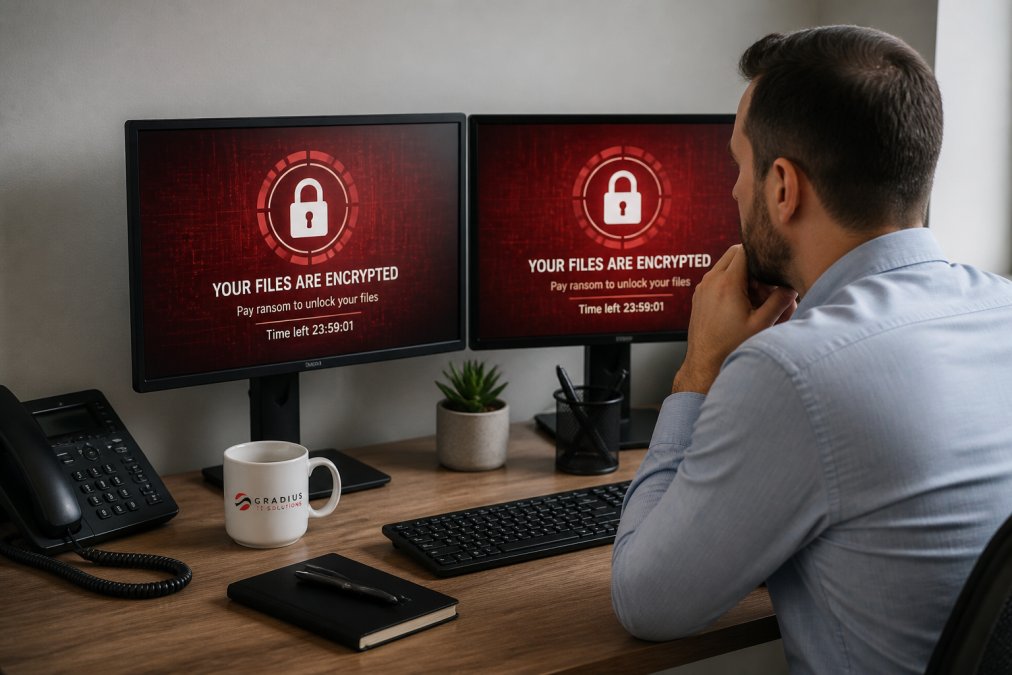
Ransomware defense for small business networks is a fundamental operational requirement. Ransomware is malicious software that encrypts a victim’s files, with attackers demanding payment for the decryption key. A proactive, layered strategy is the only approach that genuinely reduces risk. Below, we’ll show you how to build that defense step by step using practical tactics that work for teams without a large internal IT department.
Why Small Business Networks Are Prime Ransomware Targets
Attackers don’t only target large enterprises. Small businesses often lack the dedicated security staff and layered controls that make larger organizations harder to penetrate, making them attractive, softer targets for automated and opportunistic attacks.
Attackers use automated scanning to find vulnerable systems, then deploy ransomware indiscriminately. A single unpatched server or an employee who falls for a phishing email can compromise the entire network. Improving your overall cybersecurity posture matters more than any single tool.
Small organizations rarely have the resources to absorb operational downtime or recovery costs. The same defense-in-depth strategies used by large corporations can be scaled down effectively by focusing on the fundamentals consistently.
Step 1: Back Up Everything with the 3-2-1 Rule
Your backup strategy is the most critical component of any ransomware defense plan. If your data is safely backed up and you can restore it quickly, ransomware loses much of its use over your business.
The industry-standard 3-2-1 rule dictates keeping three copies of your data on two different types of media, with one copy stored offsite. This ensures a single event, a ransomware infection or hardware failure, cannot destroy all of your data.

Here is how to apply the 3-2-1 rule in a small business environment:
- Primary Copy: Your working data on local servers or workstations.
- Secondary Copy: An on-site backup device, such as a NAS or external drive, for quick recovery.
- Tertiary Copy: An immutable cloud backup that cannot be altered or deleted by ransomware.
A common mistake is assuming cloud storage like OneDrive or SharePoint is sufficient backup. These services offer version history but are not a replacement for a dedicated backup solution. You need immutable backups, copies that even an administrator cannot modify or delete during a set retention period, to protect data integrity against external attackers and internal accidents.
Ransomware will often search for and encrypt any connected backup drives. Ensure your on-site backup is not continuously connected to the network, or that it uses immutable snapshots to prevent encryption from spreading.
Step 2: Deploy Endpoint Detection and Response for SMBs
Traditional antivirus relies on signature matching, comparing files against known malware hashes. Modern ransomware is frequently unique or polymorphic, designed to evade these checks. This is where Endpoint Detection and Response (EDR) becomes essential.
EDR continuously monitors endpoint devices, laptops, desktops, servers, for malicious behavior rather than just known signatures. It uses behavioral analysis and threat intelligence to identify suspicious activities like mass file encryption or unusual data exfiltration. When it detects a threat, EDR can automatically isolate the affected device, preventing ransomware from spreading laterally.
How EDR Works in Practice
EDR agents collect telemetry from each endpoint, running processes, network connections, file system activity, registry changes, and send it to a central analysis platform. The platform uses rules, machine learning, and threat intelligence to identify an attack in progress. For example, the rapid renaming and encryption of thousands of files is a common ransomware behavior that EDR would flag as an anomaly, automatically halting the process and isolating the machine.
EDR vs. Traditional Antivirus: A Side-by-Side Look
| Capability | Traditional Antivirus | EDR |
|---|---|---|
| Detection Method | Signature-based (known threats) | Behavioral + signature (unknown threats) |
| Response | Quarantines a known file | Isolates the device, kills malicious processes, rolls back changes |
| Visibility | Limited to file scans | Full endpoint activity timeline for forensic investigation |
| Alert Quality | High volume of false positives | Fewer, higher-fidelity alerts with context |
| Management | Simple, often set-and-forget | Requires active monitoring and threat hunting to be fully effective |
The Cloud-Native Blind Spot
A significant gap in many small business defenses is protecting cloud environments like Microsoft 365. Attackers can compromise a user’s credentials and use them to encrypt files in SharePoint Online or OneDrive for Business, or use a compromised mailbox to launch phishing attacks against your clients and partners.
EDR agents on your laptops do not protect your cloud data. To defend Microsoft 365, you need cloud-specific security controls, including:
- Conditional Access Policies: These rules evaluate the risk of a sign-in attempt. For example, you can block access from an anonymous IP address or require MFA when a user logs in from a new location.
- Cloud App Security Broker (CASB): A CASB sits between your users and your cloud apps to monitor activity and enforce security policies. It can detect unusual behavior, like a user downloading a massive number of files, which could indicate a ransomware attack or data exfiltration.
- Microsoft Defender for Office 365: This service scans email and documents for malicious links and attachments, and it also protects against account compromise by detecting suspicious mailbox activity.
A layered approach that secures both your endpoints and your cloud applications is the only way to close this modern blind spot.
Deployment Models: Do-It-Yourself vs. Managed
For a small business, deploying EDR is not a set-and-forget task. Alerts require investigation, a single alert might be a false positive or a critical indicator of an attack. Without someone to monitor and respond 24/7, an EDR tool can become a source of noise rather than protection.
This is why many small businesses choose a Managed Detection and Response (MDR) service. An MDR provider operates the EDR technology for you; their security operations center analysts monitor your endpoints, investigate alerts, and respond to confirmed threats. This gives you enterprise-grade protection without the cost of hiring a security team internally. When evaluating options, ask providers about alert response times, threat-hunting processes, and how they handle a confirmed incident. internet backup hardware.
Step 3: Implement MFA Implementation for Small Business
Weak or stolen credentials are among the most common ways attackers gain initial access. MFA implementation for small business is the single most effective control you can deploy to stop credential theft and unauthorized access.
MFA requires users to provide two or more verification factors: something you know (a password), something you have (a smartphone or hardware token), and something you are (a fingerprint) (cisa.gov). Even if an attacker steals a password through phishing, they cannot log in without the second factor.
For Microsoft 365 environments, enforce MFA for all user accounts without exception, including administrative accounts. While staff may resist the extra step, the security benefit far outweighs the minor inconvenience.
Prioritize MFA for your email accounts first. Email is often the key to resetting passwords for other services, making it the most valuable target for attackers seeking to gain control of your digital identity.
Step 4: Adopt Vulnerability Management for Small Networks
Ransomware operators frequently exploit known vulnerabilities in software and operating systems. Vulnerability management for small networks is the process of continuously identifying, prioritizing, and remediating these gaps before they can be used against you.
The core of any vulnerability management program is automated patching, ensuring operating systems, applications, and firmware are updated with the latest security fixes as soon as they are available. Attackers move quickly to exploit newly disclosed vulnerabilities, so a delay in patching can leave your network exposed.
Effective vulnerability management also involves understanding your attack surface, what devices are connected, what software is running, and whether configurations are insecure. Many small businesses find a managed service provider can handle this more effectively, with the tools and expertise to scan for vulnerabilities and deploy patches without breaking critical applications.
Step 5: Train Employees to Spot Phishing and Social Engineering
Technology controls are essential, but your employees are your first line of defense. Many ransomware attacks begin with a phishing email that tricks an employee into clicking a malicious link or providing credentials. Regular security awareness training is crucial for building a human firewall.
Effective training goes beyond a yearly presentation. It should be ongoing, including simulated phishing attacks to test employee behavior. Simulations help employees recognize signs of a malicious email, urgent language, unexpected attachments, mismatched sender addresses, in a safe environment.
When an employee makes a mistake, the goal should be to educate, not punish. Create a culture where employees feel comfortable reporting suspicious activity immediately; a rapid response can be the difference between a contained incident and a network-wide infection. Training should also cover social engineering over the phone or via text message, as these are common vectors for credential theft.
Step 6: Create a Business Continuity and Disaster Recovery Plan
Even with the best defenses, no system is 100% foolproof. A strong business continuity and disaster recovery (BCDR) plan defines exactly how your organization will respond to and recover from a significant disruption, such as a ransomware attack. This plan needs to be more than a document filed away on a server.
The Financial Case for a BCDR Plan
To justify the investment in a BCDR plan, you need to understand the true cost of downtime. A common framework is to calculate your cost per hour of downtime. This includes:
- Lost Revenue: The average revenue you generate per hour that you are unable to operate.
- Lost Productivity: The cost of employee salaries for hours they cannot work.
- Recovery Costs: Expenses for emergency IT services, forensic investigation, and legal counsel.
- Reputational Damage: The long-term cost of lost customer trust, which is harder to quantify but often the most significant.
For example, a professional services firm could face significant financial losses from downtime. These losses can include lost revenue, lost productivity, and recovery costs. This cost-benefit analysis helps you set your recovery objectives:
This cost-benefit analysis helps you set your recovery objectives:
- Recovery Time Objective (RTO): The maximum acceptable downtime. If your RTO is 4 hours, your plan must be able to restore critical systems within that window.
- Recovery Point Objective (RPO): The maximum amount of data you can afford to lose. An RPO of 15 minutes means you need backups that capture data at least every 15 minutes.
Aligning Your Plan with Cyber Insurance Requirements
Cyber insurance is no longer a simple checkbox. Insurers now require businesses to demonstrate a ‘defensible’ network setup before issuing a policy. Your BCDR plan is a key part of that demonstration. Insurers will typically ask for:
- Proof of Regular Backup Testing: You need to show that you not only have backups but that you have successfully restored data from them. A log of monthly test restores is strong evidence.
- A Documented Incident Response Plan: This shows the insurer that you have a structured approach to handling a breach, which reduces their potential payout.
- Evidence of MFA and Endpoint Protection: These are often prerequisites for coverage.
- A Defined Communication Strategy: Insurers want to see that you have a plan for notifying affected parties, which is often a legal requirement.
Failing to meet these requirements can result in significantly higher premiums or outright denial of coverage. Your BCDR plan is therefore not just an IT document; it is a critical business document that directly impacts your insurability.
Post-Incident Communication: A Practical Template
One of the most overlooked parts of a BCDR plan is the communication strategy. In the chaos of a ransomware attack, you will need to communicate with employees, customers, partners, and potentially regulators. Pre-drafted templates can save valuable time and ensure your messaging is consistent and professional.
Here is a framework for your internal and external communication:
Internal Employee Notification (within 1 hour of confirmed incident):
Subject: [Company Name] Network Incident Update
This message is to inform you that we are currently experiencing a network disruption that is impacting our systems. Our IT team, along with external security experts, are investigating the issue. As a precaution, please do the following:
- Do not log in to any company systems.
- Do not connect your company laptop to any network other than your home network.
- Await further instructions from the IT department.
We will provide updates via [designated channel, e.g., email, SMS] as we learn more. Your safety and the security of our data are our top priorities.
External Customer/Client Notification (within 24 hours, if data is potentially compromised):
Subject: Important Security Notice Regarding [Company Name]
We are writing to inform you of a security incident that may have involved some of your data. We have engaged leading cybersecurity experts to investigate the matter and are working with law enforcement. We have taken immediate steps to contain the incident and are implementing enhanced security measures.
While our investigation is ongoing, we are advising all potentially affected individuals to monitor their accounts for any suspicious activity. We will provide further updates as we complete our review. We sincerely apologize for any concern this may cause and are committed to keeping you informed.
Testing Your Plan
A BCDR plan that has never been tested is just a theory. Regular testing is the only way to ensure your team knows what to do and that your backups are actually recoverable.
| Plan Component | Purpose | Recommended Frequency |
|---|---|---|
| Data Backup & Restore Test | Verify backups are valid and can be restored | Monthly |
| Tabletop Exercise | Walk through the response plan with your team, including communication protocols | Quarterly |
| Full Plan Review | Update plan for new threats, infrastructure changes, or personnel changes | Annually |
| Simulated Ransomware Attack | Test your team’s response to a mock infection in a safe environment | Annually |
A tabletop exercise is a low-cost, high-value drill. You gather key stakeholders, IT, management, legal, public relations, and walk through a realistic ransomware scenario, discussing what actions each person would take and where the plan might have gaps. This is often where you discover outdated contact information for your incident response team or legal counsel.
By building a financially justified, insurance-aligned, and regularly tested BCDR plan, you transform it from a static document into a dynamic operational capability that can genuinely save your business.
Build Your Ransomware Defense with a Security Partner
Building a comprehensive ransomware defense requires consistent effort across multiple fronts, from backups and endpoint security to employee training and planning. For many small and midsized organizations, maintaining this level of security hygiene in-house is a significant challenge requiring dedicated expertise in threat intelligence, system hardening, and security operations.
That’s where a partner like Gradius IT Solutions can help. Acting as an extension of your team, we provide the 24/7 monitoring, proactive issue resolution, and strategic guidance needed to maintain a strong security posture, enterprise-grade protection without the overhead of building a large internal IT department. Our Managed IT Services and Cybersecurity & SOC Services are designed specifically for organizations that need this level of defense without a dedicated internal security team.
Frequently Asked Questions
What is the most effective defense against ransomware?
No single tool stops ransomware. The most effective ransomware defense combines offline or immutable backups, endpoint detection and response, multi-factor authentication, and regular patching. Backups let you restore data without paying a ransom. EDR catches malicious behavior that traditional antivirus misses. MFA blocks credential theft, and patching closes the vulnerabilities attackers exploit. Together these layers create a defense-in-depth approach that protects your small business network.
How is data backup different from disaster recovery in a ransomware scenario?
A backup is a copy of your data. Disaster recovery is the complete plan to restore operations after an attack, including systems, applications, and procedures. With ransomware, you need both. A backup without a tested recovery plan can leave you offline for days while you figure out restoration order. Business continuity and disaster recovery planning defines your recovery time objective and recovery point objective so you know exactly how fast you can return to normal operations.
Why is endpoint detection and response important for small businesses?
Traditional antivirus relies on known virus signatures. Endpoint detection and response (EDR) monitors behavior, so it catches new ransomware variants that have never been seen before. EDR flags suspicious activity like mass file encryption or unusual network connections, then isolates the affected device automatically. For SMBs without a 24/7 security team, a managed EDR service provides continuous monitoring and response that would otherwise require hiring dedicated security staff.
What role does employee training play in ransomware defense?
Employee training is your first line of defense because most ransomware starts with a phishing email. Regular security awareness training teaches staff to recognize suspicious links, verify sender addresses, and report unusual messages. Phishing simulations test whether employees apply what they have learned. Training reduces the chance someone clicks a malicious link, but it is not perfect. That is why you layer training with technical controls like MFA and EDR that stop an attack even if an employee makes a mistake.
Ransomware defense is a continuous process, not a one-time project. It requires vigilance, the right technology, and a team that understands the threat landscape. If you’re not sure whether your current network is properly protected, Gradius can review your environment and identify potential gaps in your security posture. Get started with Gradius IT Solutions and build a defense that keeps your business secure.