

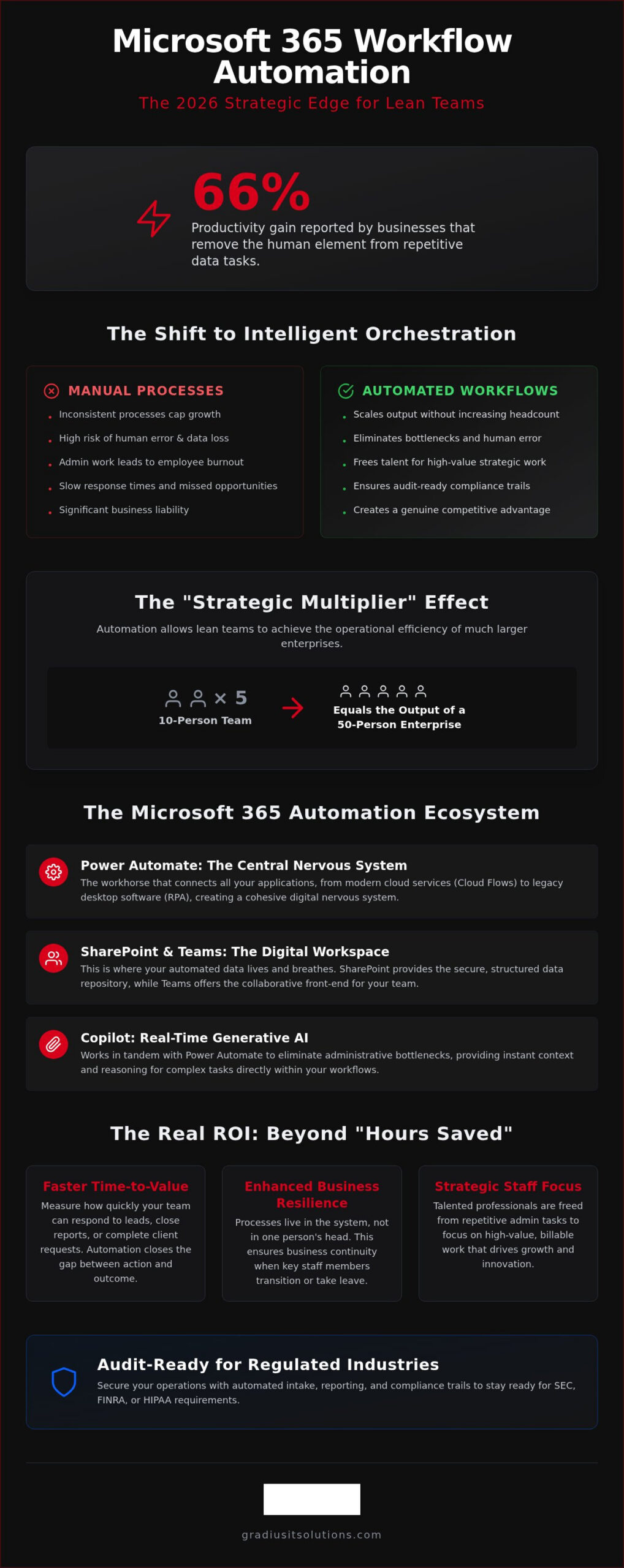
Some businesses now report a staggering 66% productivity gain by simply removing the human element from repetitive data tasks. If you’re still relying on manual entry and paper-thin approval chains, you’re falling behind. Strategic microsoft 365 workflow automation isn’t a luxury for the Fortune 500 anymore. It’s the primary engine that allows lean teams to outpace much larger competitors in a fast-moving market.
You likely feel the weight of inconsistent processes and the constant threat of human error. It’s frustrating to watch your most talented employees spend hours on admin work that adds zero value to your bottom line. We agree that your growth shouldn’t be capped by your current headcount. This guide promises to help you reclaim those lost hours. You’ll learn how to eliminate bottlenecks and secure your data while scaling your business output without the need for expensive new hires.
We’re diving deep into the 2026 landscape. We will cover everything from the new GPT-5.6 reasoning models in Copilot to building audit-ready compliance trails that satisfy strict regulatory requirements. It’s time to transition from manual grunt work to high-value strategic oversight.
Key Takeaways
- Shift from basic triggers to intelligent orchestration. Manual processes are now a significant business liability: automation is the only way to scale output without increasing your headcount.
- Combine Power Automate’s backend logic with Copilot’s real-time generative AI. These tools work in tandem to eliminate administrative bottlenecks and provide instant context for complex tasks.
- Secure your operations with microsoft 365 workflow automation tailored for regulated industries. Automated intake and reporting ensure you stay audit-ready for SEC, FINRA, or HIPAA requirements.
- Build a resilient roadmap through process auditing and logic mapping. Identifying high-friction, low-value tasks allows you to visualize the “Golden Path” for your business data and eliminate human error.
- Choose a strategic partnership over a DIY approach. Managed automation provides the security, predictability, and high-performance oversight needed to turn technology into a genuine competitive advantage.
Microsoft 365 Workflow Automation: The 2026 Strategic Edge
In 2026, the definition of efficiency has shifted. We’ve moved beyond simple “If This, Then That” logic. Modern business doesn’t just need triggers; it requires intelligent orchestration. This means your systems don’t just move data from one bucket to another. They reason. They prioritize. They predict. Utilizing the Microsoft Power Platform allows a firm to create a cohesive digital nervous system where every application communicates in real time. This isn’t just a technical upgrade. It’s a fundamental shift in how work gets done.
The 2026 productivity landscape makes manual processes a significant business risk. Relying on human memory for multi-step approvals or manual data entry is no longer just slow; it’s dangerous. In a world of tightening regulations and instant client expectations, one missed email or one transposed digit in a spreadsheet can lead to a compliance failure or a lost contract. Strategic microsoft 365 workflow automation acts as a defensive shield. It eliminates the “grunt work” that leads to employee burnout and drastically reduces the surface area for human error. When your team isn’t drowning in admin tasks, they’re free to focus on high-value billable work.
This creates what we call the “Strategic Multiplier” effect. We’ve seen 10-person firms operate with the operational efficiency of a 50-person enterprise. They aren’t working five times harder. They’ve simply automated the friction out of their day-to-day operations. By leveraging microsoft 365 workflow automation, these lean organizations can scale their output exponentially without the massive overhead of an ever-growing headcount.
Calculating the ROI of Automation
Stop measuring automation purely by “hours saved.” While that’s a useful metric, the real value lies in “Time-to-Value.” How quickly can your team respond to a new lead or close a month-end report? The hidden costs of manual friction are found in lost opportunities and high employee turnover. Talented professionals don’t want to spend their careers copy-pasting data. Automation ROI is the widening gap between static operational costs and exponentially scalable business output.
Automation and Business Resilience
Predictable processes are the foundation of a modern technology roadmap. Automated workflows ensure business continuity when key staff members transition or take leave. The process lives in the system, not in a single person’s head. This level of structure is a critical component of it business continuity planning. When your workflows are documented and automated, your business remains resilient against internal changes and external disruptions alike.
The Microsoft 365 Ecosystem: Tools for Intelligent Orchestration
Beyond standard interface enhancements, some organizations require entirely unique platforms to manage their data; in these cases, AV Prime Design delivers the custom software solutions needed to turn specific business visions into functional reality.
A hardened cloud microsoft 365 environment is the prerequisite for this level of orchestration. Without proper security configuration, automation can inadvertently create data leaks or compliance gaps. If you’re concerned that your current setup might be leaving you vulnerable, you should explore how secure AI consulting can bridge the gap between efficiency and protection.
Power Automate: From Desktop to Cloud
Power Automate is the workhorse of the ecosystem. It splits into two primary paths: Cloud Flows and Desktop Flows. Cloud Flows use modern APIs to connect web-based services instantly. Desktop Flows, often called Robotic Process Automation (RPA), handle legacy software that lacks a modern interface. This allows you to bridge the gap between your 2026 cloud tools and older, mission-critical systems. The key is strict condition-based logic. You don’t just want data to move; you want it to move only when specific, secure criteria are met.
The AI Revolution: Copilot in the Workflow
The July 2026 update to Microsoft 365 Copilot introduced OpenAI’s GPT-5.6 models. This isn’t just a minor speed boost. It represents a massive leap in reasoning capabilities. You can now @mention Word, Excel, or PowerPoint agents directly within Copilot Chat to trigger complex actions. This shifts the paradigm from rigid, pre-defined workflows to adaptive, AI-driven processes that learn from your business context. Consider these capabilities for your team:
- Natural Language Scripting: Describe a workflow in plain English and let Copilot generate the underlying Power Automate logic.
- Real-time Data Analysis: Ask Copilot to surface rich images and visual context from files and meetings to provide instant clarity on project status.
- Intelligent Summarization: Automatically aggregate data from multiple sources and deliver a concise brief to your leadership team every morning.
The transition from rigid workflows to adaptive processes means your automation evolves with your business. It’s no longer about setting it and forgetting it; it’s about building a system that acts as a true “co-pilot” for your entire staff.
High-Impact Examples: Automation for Regulated Industries
Generic automation is child’s play. Syncing a file between two folders doesn’t move the needle for a Registered Investment Advisor (RIA) or a law firm. In these high-stakes environments, microsoft 365 workflow automation must be precise, secure, and fully auditable. We aren’t just saving time. We’re building a fortress around your compliance requirements. When a new client signs a retainer, your system should instantly trigger a chain of events. Conflict checks run against your database. E-signature requests go out. Secure SharePoint folders provision themselves with strict permissions. This happens in seconds, not days.
Internal security shouldn’t rely on human vigilance. We build workflows that enforce Multi-Factor Authentication (MFA) and monitor for unauthorized data access in real time. If a policy violation occurs, the system doesn’t just send an alert; it can automatically revoke access or isolate the affected account. This “Prevent-Instead-React” methodology is the only way to stay ahead in a 2026 threat landscape where speed is the primary factor in data protection.
Specialized Workflows for Financial Services
SEC and FINRA have tightened their grip. The 2026 updates to cybersecurity rules mandate automated record-keeping and rapid incident reporting. This is where it cybersecurity for financial advisors becomes a genuine competitive moat. We automate trade confirmations and client reporting cycles so nothing slips through the cracks. Every automated step leaves a permanent, encrypted audit trail. This turns an audit into a simple report generation rather than a month-long administrative nightmare.
Legal and Professional Services Automation
Law firms face a different set of pressures. Managing compliance security for law firms requires more than just a locked filing cabinet. It requires automated data classification. When a document is created, the system identifies its sensitivity and applies the correct retention policy. This reduces billable leakage by automatically logging time spent on document drafting and client communication logs. Your team stays focused on the law while the system handles the administrative trail. It’s about moving from manual grunt work to high-value strategic oversight without losing a single billable minute.
By integrating microsoft 365 workflow automation into these core functions, firms can handle a higher volume of cases or clients with the same staff. The result is a predictable, scalable business process that satisfies both your clients and your regulators.
Building Your Automation Roadmap: A Security-First Approach
Speed is a liability without structure. When you deploy microsoft 365 workflow automation, you aren’t just moving data; you’re opening new pathways into your business ecosystem. A haphazard roadmap leads to security gaps that can cripple a firm before the first efficiency gains are even realized. We follow a methodical, five-step approach to ensure your automation is both high-performing and bulletproof.
Successful implementation requires a proactive guardian who stays three steps ahead of potential failures. This journey starts with a clear, security-first roadmap that prioritizes business resilience over raw speed. To understand how automation fits within a broader strategic context, a well-structured business technology roadmap ensures your infrastructure, security, and AI investments are all aligned toward the same growth objectives. Our five-step methodology focuses on building resilience from the ground up:
- Step 1: The Process Audit. We identify the high-friction, low-value tasks that drain your team’s energy and stall your growth. If a process is broken manually, automating it only makes it fail faster.
- Step 2: Logic Mapping. Visualizing the “Golden Path” of your business data ensures every trigger leads to a predictable, secure outcome.
- Step 3: Security Hardening. Identity verification and data encryption are mandatory at every touchpoint. We apply Zero Trust principles to every connector to ensure your perimeter remains intact.
- Step 4: Pilot & Test. Observation Mode allows us to verify accuracy and catch edge cases without disrupting your live operations. We don’t guess; we validate.
- Step 5: Ongoing Monitoring. We leverage network management services to maintain 100% uptime and catch anomalies before they escalate into business disruptions.
The Dangers of ‘Shadow Automation’
Shadow automation is a silent killer of corporate security. When employees link your proprietary data to personal apps via unvetted connectors, they bypass your firewall entirely. It’s a massive risk that most executives don’t see until a breach occurs. Centralizing control is non-negotiable. Every workflow must be managed it services compliant to ensure it meets enterprise-grade protection standards and doesn’t leave your data exposed to unsecured third-party platforms.
Privacy by Design
Compliance is not an afterthought. Your microsoft 365 workflow automation must be built with Privacy by Design at its core to satisfy the requirements of HIPAA, SEC, and the NJ SHIELD Act. Staying ahead of the 2026 SEC Cybersecurity Rule updates requires automated record-keeping that is tamper-proof and instantly accessible. We automate data retention and disposal schedules so you stay compliant without manual effort. A vcio consulting services partner validates this roadmap, aligning your technology with your long-term business growth and regulatory obligations.
Schedule a strategic automation roadmap consultation
The Gradius Advantage: Secure AI and Managed Automation
Software alone is a static asset. Without a strategy, it’s just another monthly line item on your ledger. Successful microsoft 365 workflow automation requires more than a subscription. It requires a partner who understands the precise intersection of productivity and protection. We provide Gradius Secure AI-as-a-Service to give SMBs access to predictable, flat-fee automation. We don’t just hand you a toolkit and wish you luck. We build, secure, and manage the engine that drives your business forward.
Our “Prevent-Instead-React” methodology isn’t just a cybersecurity buzzword. We apply this proactive mindset to your entire business process architecture. We anticipate bottlenecks before they stall your operations. We harden your workflows against logic failures and data leaks. If an automated process encounters an anomaly at 2:00 AM, our U.S.-based 24/7 SOC and Help Desk are already resolving it. This is the safety net for your digital workforce. You get the benefits of enterprise-level orchestration without the enterprise-level technical debt.
Managed automation means your technology evolves alongside your goals. We don’t believe in “set it and forget it” solutions. As your firm grows, your workflows must adapt. We provide the strategic oversight to ensure your automation remains a high-performance asset rather than a legacy burden. This is about more than just efficiency. It’s about building a foundation of it business continuity planning that allows you to scale without the stress of increased overhead.
Your Single Accountable Partner
Vendor sprawl kills momentum. Managing separate providers for IT, security, and automation creates unnecessary friction and accountability gaps. We eliminate that. Gradius serves as your single accountable partner for managed IT and secure automation. Our team provides local expertise that understands the complex regulatory landscape of New York, New Jersey, and Connecticut. We don’t just build a workflow. We continuously optimize it to ensure it remains compliant with shifting SEC, FINRA, and HIPAA standards. One partner. One bill. Total accountability.
Take the First Step Toward Efficiency
High-performance productivity starts with clarity. You can’t fix what you haven’t measured. Our Free IT & Cybersecurity Assessment identifies the manual gaps in your current technology stack. We look for the “manual rot” that drains your team’s energy and caps your revenue. During a Gradius technology consultation, we map out a definitive path to scale. We show you exactly where microsoft 365 workflow automation will yield the highest ROI for your specific headcount and industry. Stop drowning in administrative tasks. It’s time to automate your success.
Schedule your free IT and automation assessment today.
Mastering Your Digital Workforce
The 2026 productivity landscape doesn’t reward those who work the longest hours. It rewards those who orchestrate their technology with the most precision. By implementing strategic microsoft 365 workflow automation, you’re building a scalable, resilient business that can outpace larger competitors while maintaining a lean headcount. We’ve explored how the right ecosystem of tools transforms your operations. From Power Automate to the latest Copilot reasoning models, the objective remains the same. You must eliminate manual rot to focus on high-value work.
Gradius IT Solutions ensures this transition is both seamless and secure. Our U.S.-based 24/7 SOC and Help Desk coverage provides a permanent safety net for your digital workforce. We specialize in compliance-aware Managed IT for regulated industries and offer flat-fee predictable pricing with no hidden costs. You deserve a partner who stands firmly in your corner and stays three steps ahead of technical complexity.
Let’s turn your technology stack into your greatest growth engine and reclaim your team’s time for the work that actually matters.
Frequently Asked Questions
What is Microsoft 365 workflow automation for productivity exactly?
Microsoft 365 workflow automation is the strategic use of Power Automate and Copilot to orchestrate tasks across your entire digital ecosystem. It replaces manual data movement with logic-based triggers that react to specific business events. For instance, when a client signs a contract, the system can instantly provision a SharePoint folder and notify your accounting team. It’s about creating a unified digital nervous system for your firm.
Is workflow automation secure for firms handling sensitive financial data?
Workflow automation is highly secure when implemented within a hardened Microsoft 365 environment. It actually reduces risk by removing the human error that leads to most data breaches. We utilize Zero Trust principles and encrypted connectors to ensure sensitive financial data remains protected. Your information never leaves its secure perimeter, and every automated action is logged for total transparency and accountability.
Do I need a developer to set up Power Automate for my business?
You don’t need a professional coder for basic tasks, but enterprise-level automation requires a high level of technical expertise. While the platform is “low-code,” building secure, scalable workflows for regulated industries involves complex logic and API management. A strategic partner prevents “shadow automation” and ensures your processes align with your overall cybersecurity posture and long-term business goals.
How much time can my team really save with M365 automation?
Your team can save hundreds of hours annually by automating just a handful of repetitive administrative tasks. Organizations often find that automating core functions like document approvals or lead routing allows them to scale without increasing headcount. For a small professional services firm, this often results in a productivity gain equivalent to adding multiple staff members without the associated overhead costs.
What are the most common mistakes businesses make when automating?
The most frequent mistake is automating an inefficient manual process without performing a logic audit first. If your underlying workflow is flawed, automation will only amplify those errors at scale. Businesses also often overlook security by using unvetted connectors. Without centralized oversight, these automated flows can become “orphan processes” that break when staff leave or software updates occur.
Can workflow automation help my firm stay compliant with SEC or FINRA rules?
Yes, microsoft 365 workflow automation is essential for meeting the 2026 SEC and FINRA record-keeping requirements. It ensures that every trade confirmation or client communication is captured and archived in a tamper-proof environment. This replaces manual filing with a permanent, encrypted audit trail. It makes your firm audit-ready at all times without requiring constant manual intervention from your compliance officer.
What is the difference between simple automation and Secure AI?
Simple automation follows a fixed set of rules, whereas Secure AI uses advanced reasoning to handle unpredictable business data. microsoft 365 workflow automation that leverages Secure AI can analyze the content of a file and decide where it needs to go based on context. It adds a layer of intelligence that allows your systems to make informed decisions rather than just following rigid instructions.
How does Gradius IT Solutions manage my automated workflows?
Gradius IT Solutions manages your workflows through a proactive “Prevent-Instead-React” methodology. We build your automation roadmap and then monitor it 24/7 from our U.S.-based SOC to ensure 100% uptime. Our team handles all updates, security patches, and logic refinements as your business grows. This provides you with a predictable, high-performance digital workforce that is always secure and fully managed.

Article by
Robert Joyce
**Robert Joyce** is the Founder, CEO, and Chief Technology Officer of Gradius IT Solutions, a security first provider of Managed IT Services, Cybersecurity, Cloud, Compliance, and Secure AI solutions serving businesses throughout New Jersey, New York, Connecticut, and across the United States.
With more than 28 years of IT experience, including 23 years supporting hedge funds, global banks, and wealth management firms, Robert has built a career designing and managing secure, resilient, and highly available technology environments where uptime, cybersecurity, and business continuity are essential.
His expertise includes Microsoft 365, cloud computing, cybersecurity, networking, infrastructure, disaster recovery, compliance, virtualization, and strategic IT leadership. Following the events of September 11, Robert helped rebuild critical technology infrastructure for Merrill Lynch, an experience that reinforced the importance of resilience, planning, and operational excellence.
Robert founded Gradius IT Solutions to bring enterprise level technology and security services to small and midsized businesses at a predictable monthly cost. Today, the company delivers fully managed and co managed IT services, cybersecurity, Microsoft 365, cloud solutions, compliance consulting, Secure AI consulting, technology projects, and vCIO services. Through a U.S. based 24/7 Help Desk and a nationwide network of trusted technology partners, Gradius supports organizations across the country with responsive, security focused technology solutions.
Robert partners with business owners and executive leaders to align technology with business goals, reduce risk, strengthen cybersecurity, improve productivity, and create long term IT strategies that support growth. His mission is simple: provide every client with enterprise class technology, exceptional service, and a trusted advisor they can rely on as their business evolves.
Disclaimer
## Disclaimer
The information provided in this article is for general informational and educational purposes only and should not be considered professional IT, cybersecurity, legal, regulatory, or compliance advice. While Gradius IT Solutions strives to provide accurate and up to date information, technology, security threats, and regulatory requirements change frequently, and we cannot guarantee that all information will remain current or applicable to your specific situation.
Every organization has unique technology, security, compliance, and business requirements. Before implementing any recommendations discussed in this article, you should evaluate their suitability for your environment or consult with a qualified technology professional.
Gradius IT Solutions makes no warranties, express or implied, regarding the completeness, accuracy, reliability, or results obtained from the use of this information. Any actions you take based on this content are at your own risk. Gradius IT Solutions shall not be liable for any direct, indirect, incidental, or consequential damages arising from the use of, or reliance upon, the information contained in this article.
References to third party products, services, or vendors are provided for informational purposes only and do not constitute an endorsement unless explicitly stated.
If you would like guidance tailored to your organization, contact Gradius IT Solutions to schedule a consultation with one of our technology experts.